Where BIM › Home › Projects › Concepts
Steps
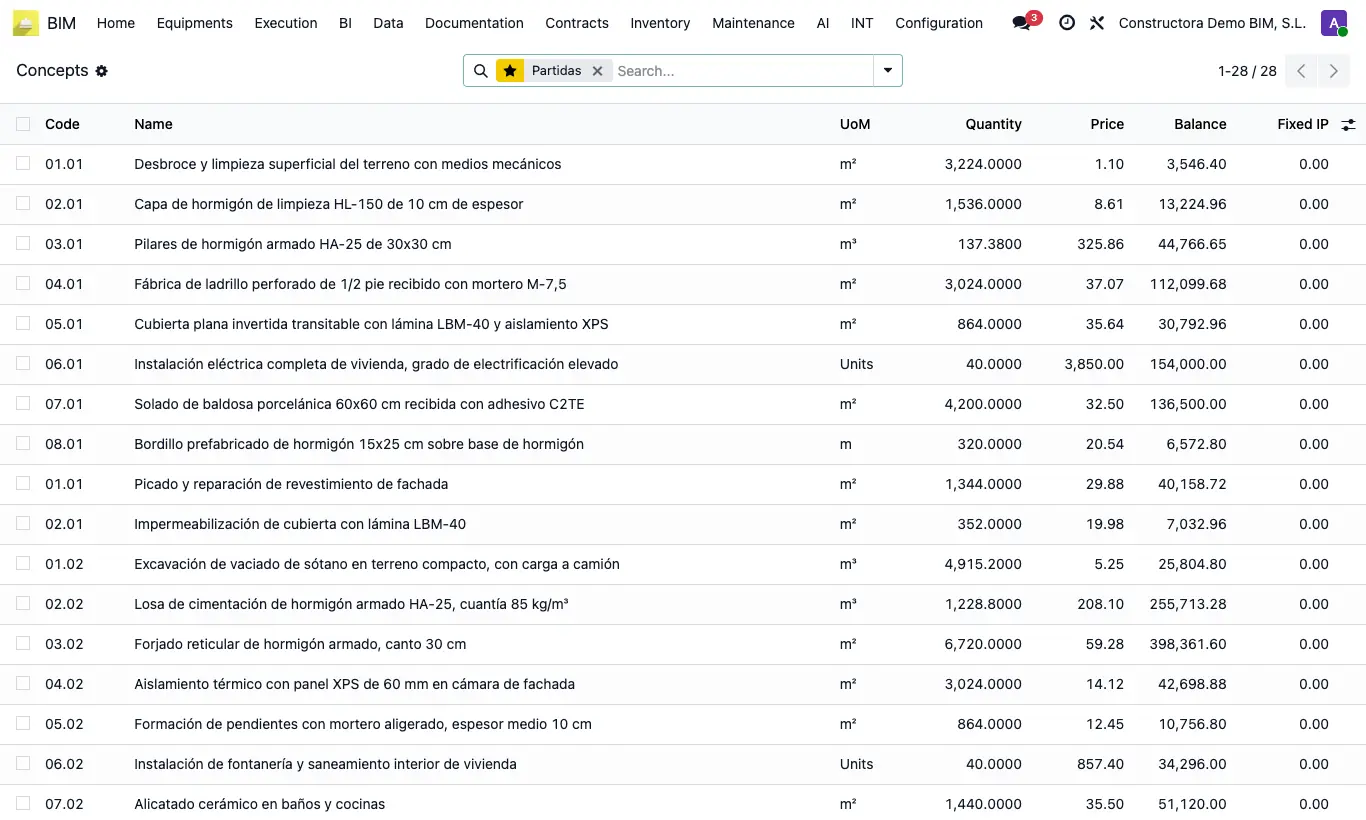
- Go to Home › Projects › Concepts. By default, the Items filter shows only items.
- Search by code, name, type or parent; remove the filter to also see chapters and resources.
- Group by Budget, Parent or Type to see subtotals.
- Show more columns (dates, phase, specialty, hours...) with the optional columns selector.
- Open any line to edit the item.
Site note
The budget's Items button opens this same list filtered by that budget.
From here you can check items and use Actions › Copy (M).