Where Project › Checklist button
Before you start
Checklist States and at least one template created.
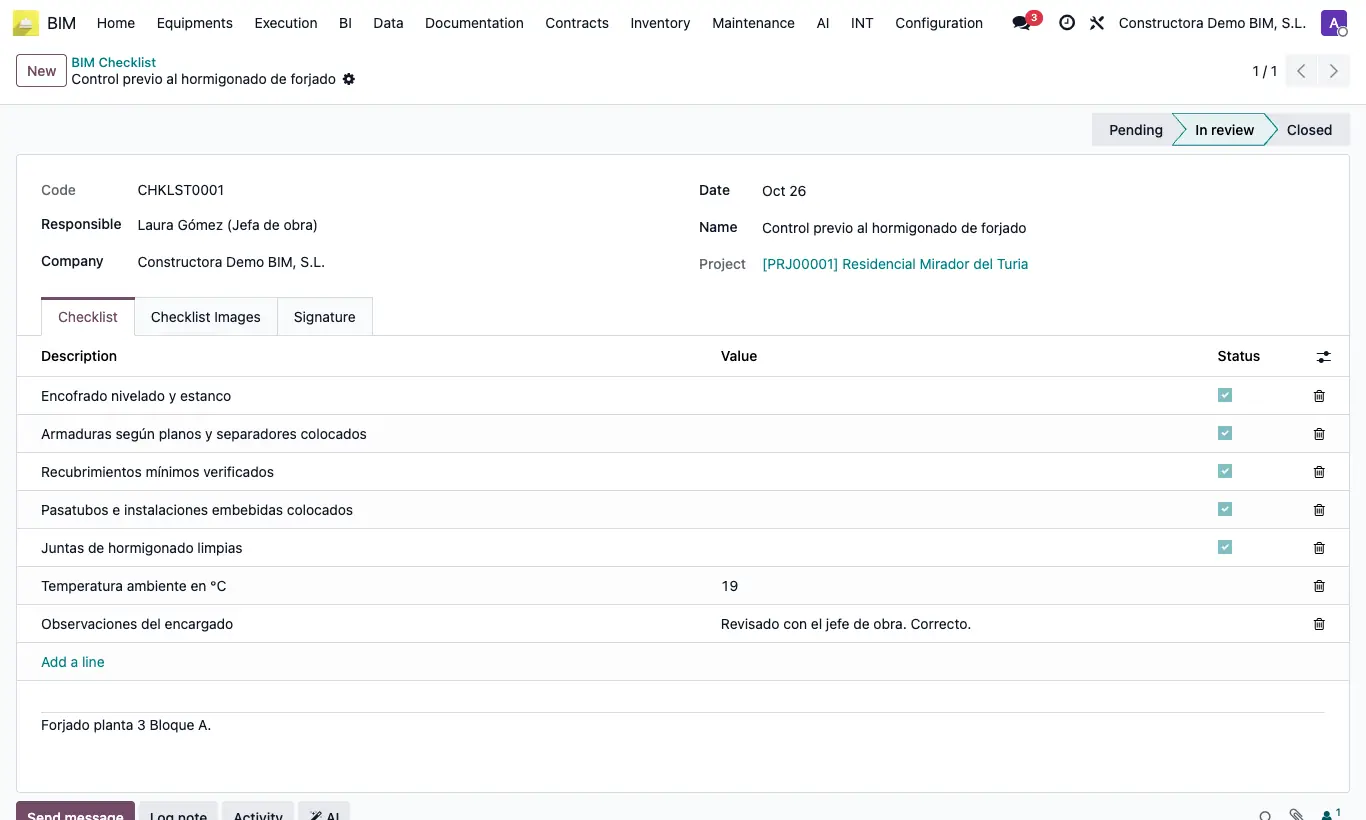
Steps
- Open the project and click Checklist at the top.
- Choose the Template and click Create.
- Click the Checklists button on the project and open the list you created.
- Review Responsible and Date. In the Checklist tab tick Status on the checkboxes or enter the Value on the text or number ones.
- Add photos in Checklist Images and collect the signature in Signature.
- Write the Observations and move the list forward by clicking its state in the top bar.
Warning
Create lists from the project: on a new list created from the menu you cannot choose the project.
If the state has assigned users, only they can set it.
Site note
All the lists of all projects are in BIM › Home › Management › Checklist.
In the quality plan you can link each control to its checklists.