Where BIM › Execution › Daily Parts › Daily Parts Liquidation
Before you start
Reports in Finished state, from the same project and budget, and with a PCP on all their progress lines.
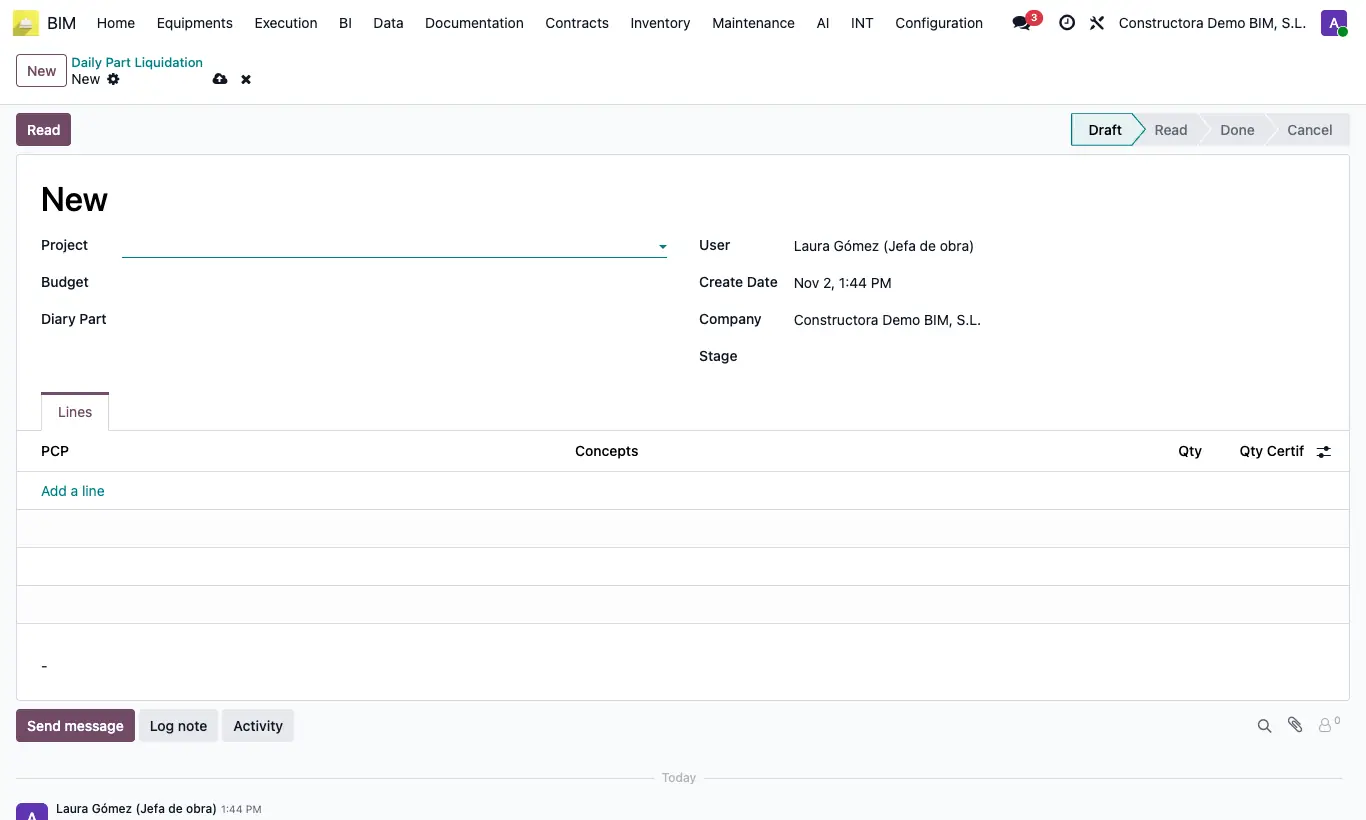
Steps
- Go to Execution › Daily Parts › Daily Parts Liquidation and click New.
- Choose Project and Budget, and optionally the Stage.
- In Diary Part add the reports: only those Done and not yet settled appear.
- Click Read: one line per PCP is created with the Qty added up from all the reports and the same figure in Qty Certif.
- Review and adjust Qty Certif and, if you want, the item in Concepts.
- Click To Done to close the settlement.
Warning
If a progress line has no PCP, Read warns: "You must select the PCP in the daily report".
Each Read deletes the previous lines and recalculates them: changes made by hand in Qty Certif are lost.
Site note
With Draft you release the reports so they can be settled again.
To Done only closes the settlement: it does not create the certification. Use the quantity as a reference when certifying the stage.
Progress lines that share a PCP, from the same report or different ones, are added into a single line.