Where BIM › Home › Certifications › Cost Settlements
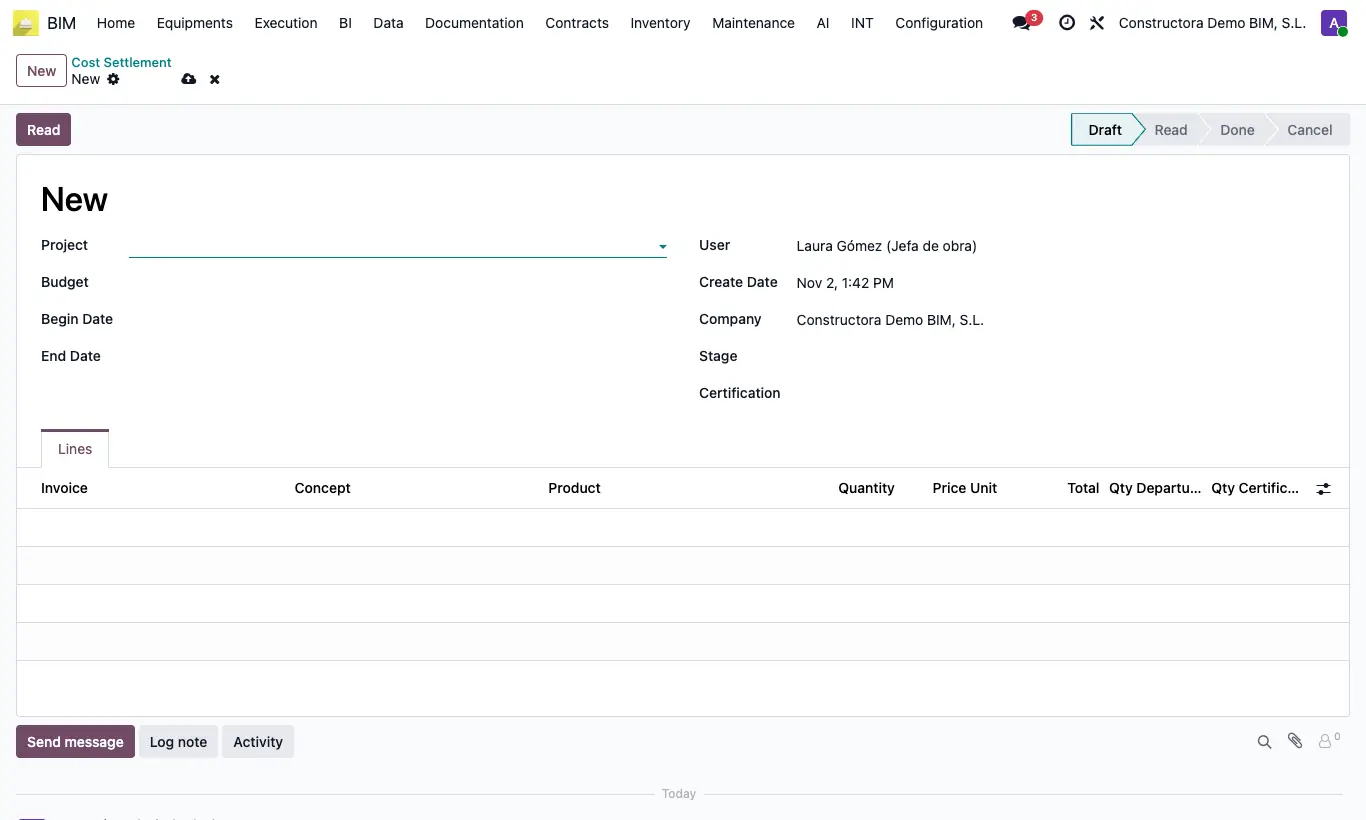
Steps
- Click New and choose Project and Budget.
- Enter Begin Date and End date, or choose a Stage to take its dates.
- Click Read: it loads the posted vendor bill lines, with Include For Bim and that budget, for the period. If no stage exists with those dates, it creates one.
- Review per line the Invoice, the Concept, the Quantity, the Price Unit, the Qty Departure and the proposed Qty Certification.
- Click To Done: it creates a certification of that stage with those items and their quantity to certify already loaded.
- Open the certification from the Certification field, review it, validate it and certify it.
Warning
If there are no invoices in the period, it warns "No se encontraron facturas para este periodo".
Each invoice is only settled once. Draft unlinks the invoices and deletes the lines.