Where BIM › Data › Budget templates › ITE ( Economic Technical Indices )
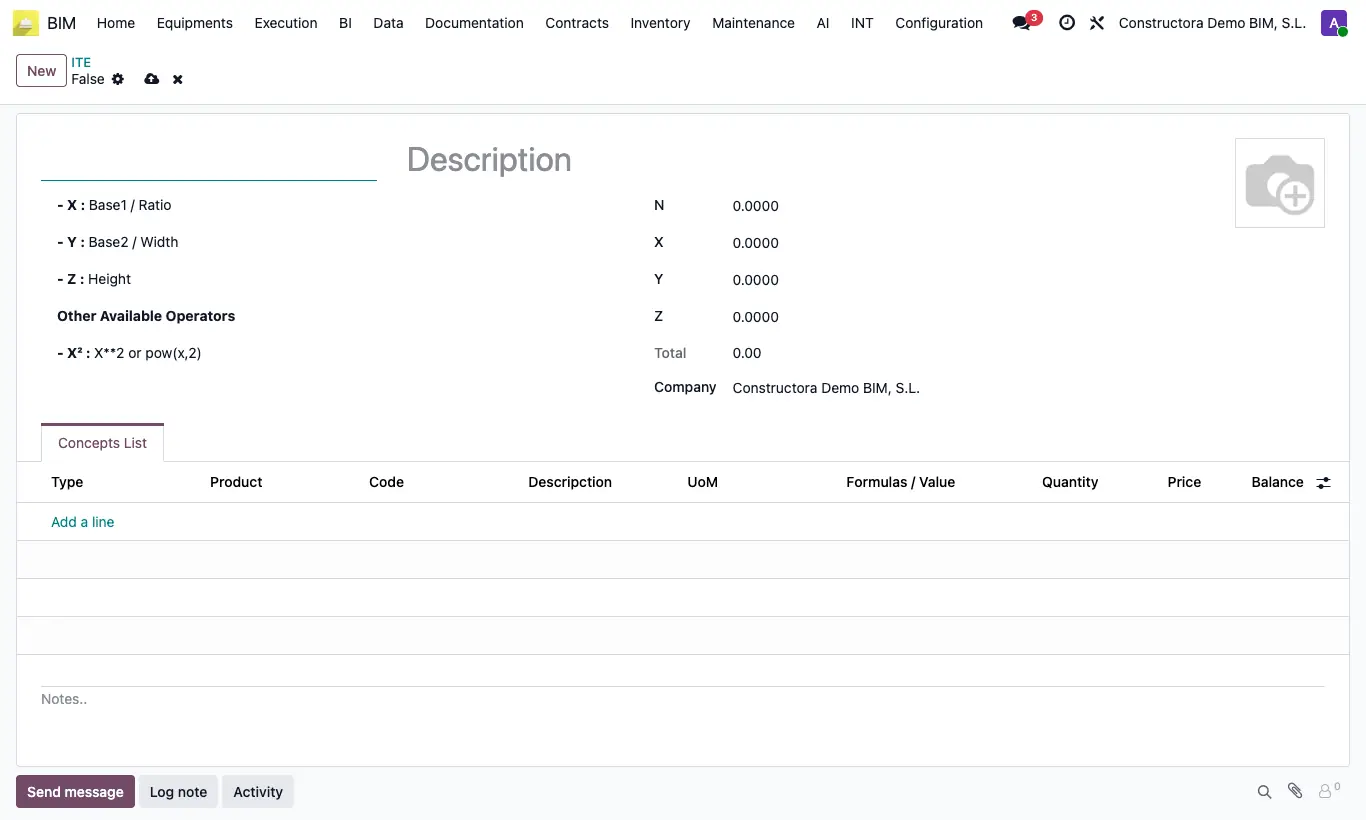
Steps
- Go to Data › Budget templates › ITE ( Economic Technical Indices ) and click New.
- Type the description and the example values of N, X, Y and Z.
- In the Concepts List tab add lines: Type (Item or Product), Code, Descripction, UOM, Formulas / Value (e.g. (x+y)/z) and Price. Each product hangs from the last item-type line above it.
- Save. The Quantity, the Amount and the Total are calculated with the formulas.
- To use it, open a budget item and click ITE.
- Choose the ITE, type your N, X, Y and Z and click Continue.
- Click UPD in the budget.
Warning
If a formula divides by zero or is badly written, "Defina una fórmula basada en la descripción del ITE…" appears.
The ITE products come in as resources with no associated product and of function/administrative type: check their type if you are going to buy them.