Where Budget › Budget button
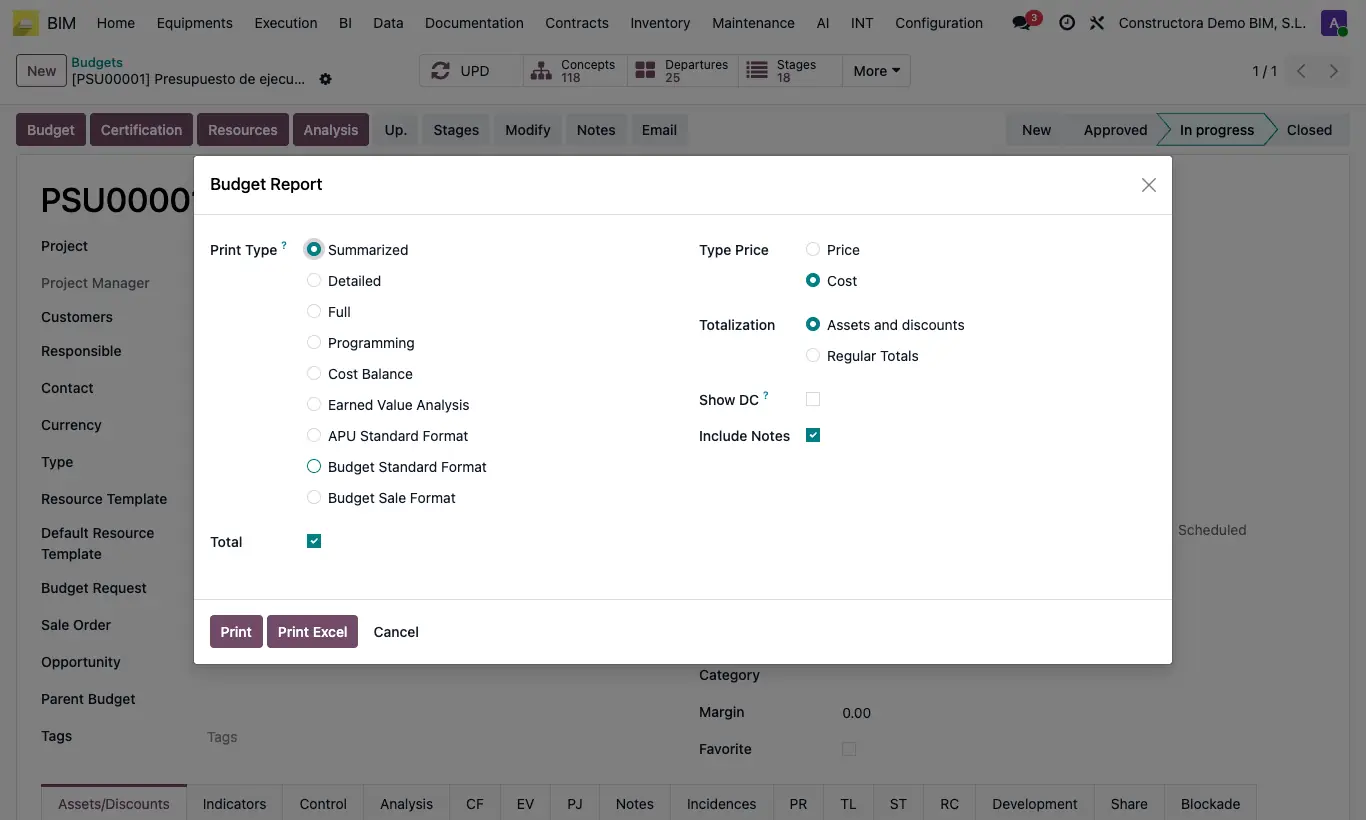
Steps
- Open the budget.
- Click UPD and wait for it to finish.
- Click the Budget button and accept the price-update notice.
- Choose the format: summarized, detailed, all, schedule, comparative, earned value analysis, APU, standard format or sales format.
- Choose whether to show price or cost.
- Click Print or Print Excel.
Warning
Without UPD, the report may show outdated figures.
Site note
In the budget's Print menu (gear icon), Budget Report produces the actual execution report in PDF: by item, budgeted quantity and amount against actual quantity and amount executed, and the difference.