Where Budget › Resources button
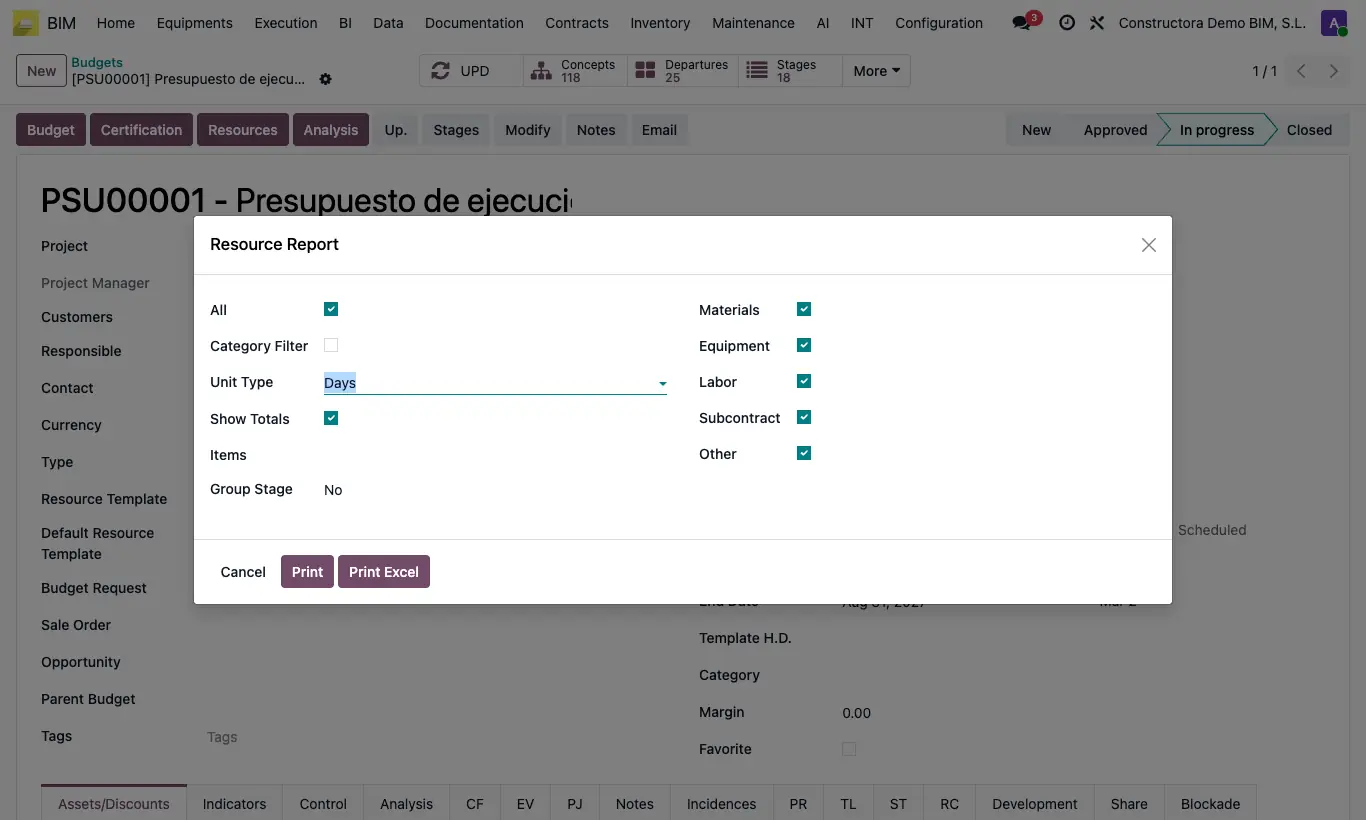
Steps
- Open the budget and click UPD.
- Click Resources and accept the prompt to update prices.
- Check the types: Materials, Equipment, Labor, Subcontract and Other.
- If you only want some items, uncheck All and choose them in Items; with Category Filter you limit it to one product category.
- In Unit Type choose Days or Hours. If there are stages, Group Stage distributes the resources by stage.
- Click Print (PDF) or Print Excel.
Warning
If you group by stages only Print Excel is available.