Where BIM › Documentation › Task Report › Task Line Allocation
Before you start
The employee must have an hourly cost. To choose a budget, its status must have Register project timesheets.
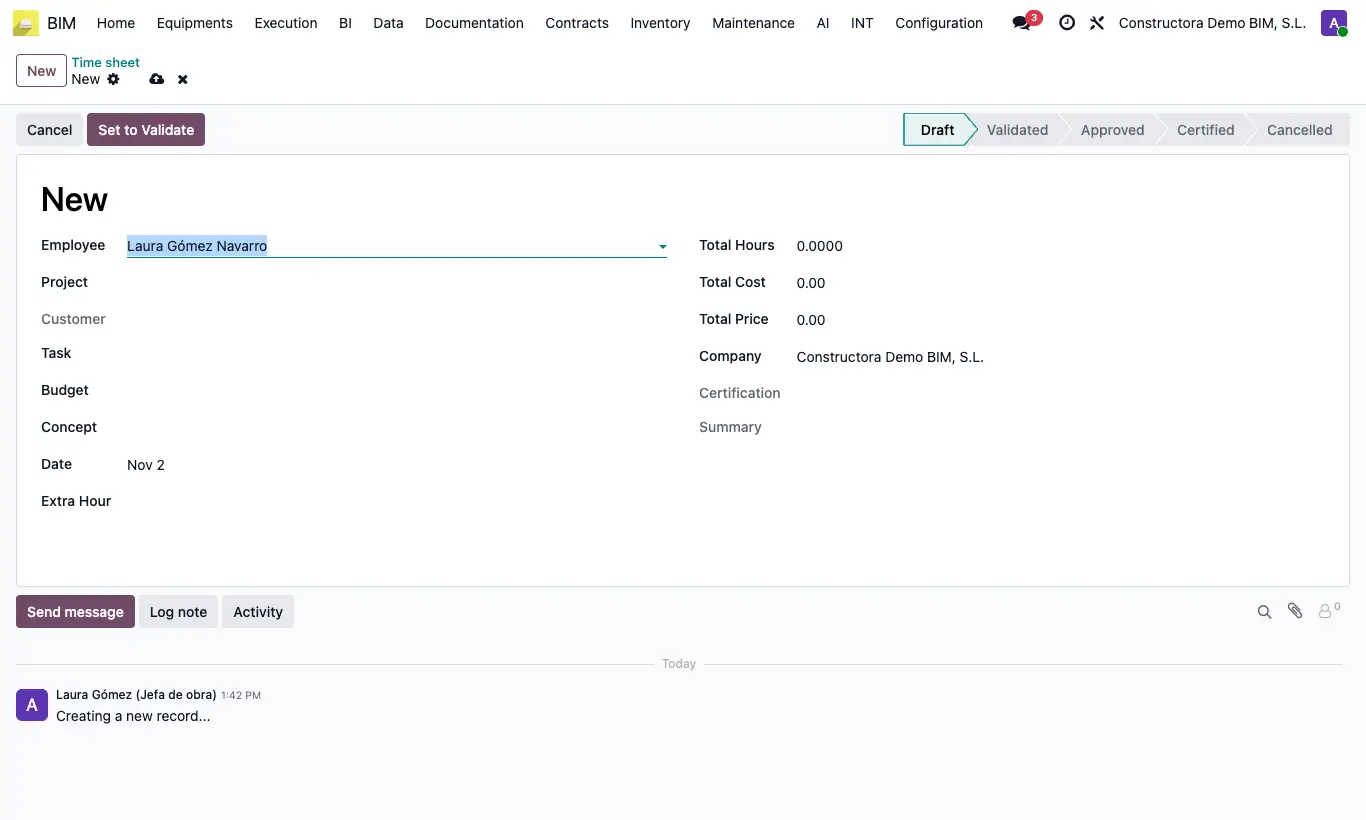
Steps
- Go to Documentation › Task Report › Task Line Allocation and click New.
- Choose Employee, Project and Date; optionally the Task, the Budget and the Concept.
- Type the Total Hours and, if they are overtime, choose the type in Extra Hour.
- Check Labor Cost and Total Price: they are calculated when you change the employee, hours or overtime type.
- Click Set to Validate and then Set to Approved.
Warning
Set to Validate requires hours: if they are 0 it warns "Debe introducir el total de horas".
Entries count towards the project cost in any status except Cancelled, including Draft.
Site note
You can also log from the task, in its Timesheets tab.
The pivot and calendar views show hours and cost per employee, project and month.
The price comes from the Hourly price list of the project's customer.