Where BIM › INT › Concepts importer › Work Database Concept Importer
BIM Integrations profile.
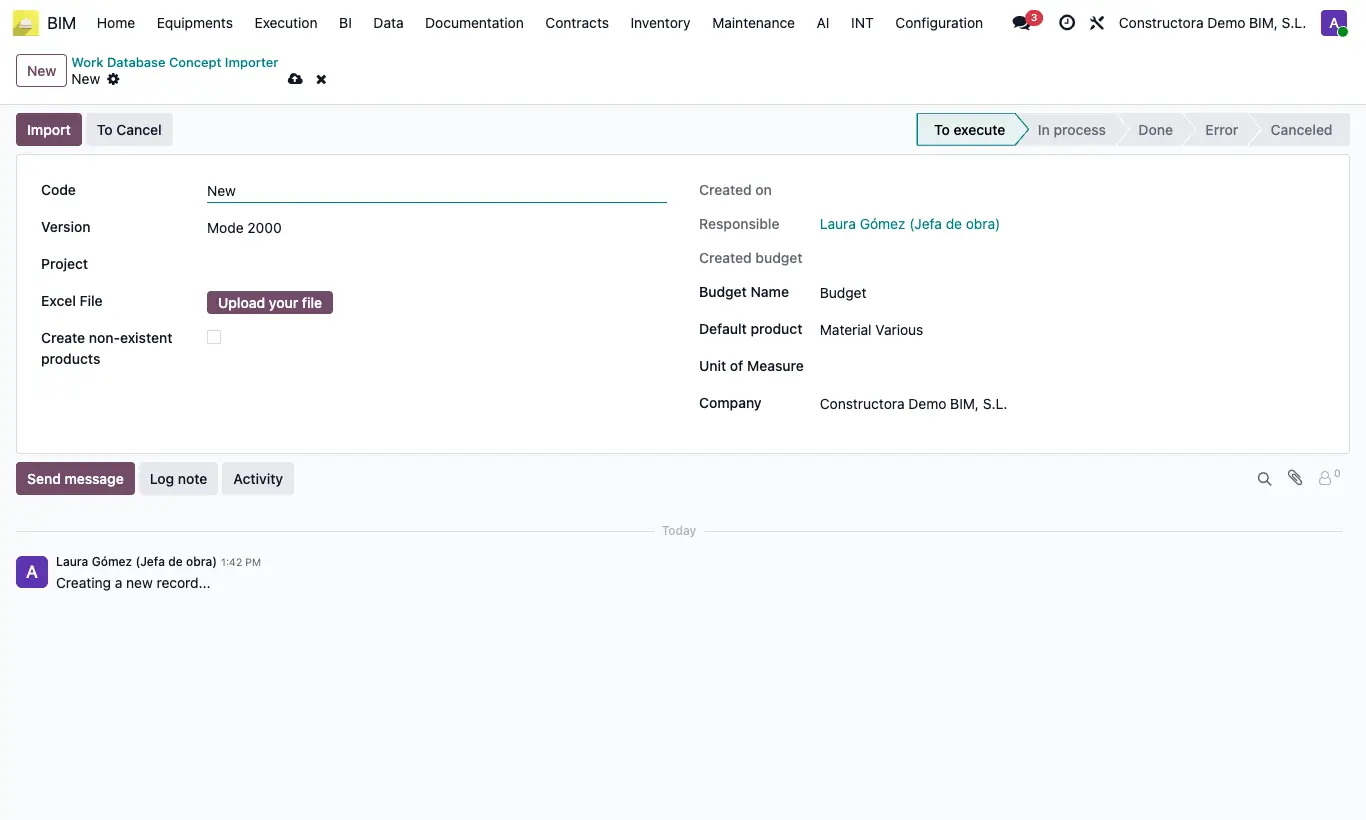
Steps
- Prepare the Excel file. Mode 2000 and Mode 1000: header PARTIDA, NAT, UNIDAD, DESCRIPCION DE PARTIDA, MEDICION, PRECIO, IMPORTE. Mode 3000: COD, RUBRO, U, CANTIDAD, UNITARIO, SUBTOTAL.
- In models 1000 and 2000: code without a dot and without NAT or UNIDAD = chapter; code with a dot and # = subchapter; code with a dot without # and without NAT = item. In 2000, rows with NAT MO, MAT, EQUIPO, SC, OTROS or % are resources of the previous item.
- Go to INT › Concepts importer › Work Database Concept Importer and click New.
- Choose the Version and the Project and check the Budget Name.
- Upload the Excel File. In 2000, tick Create non-existent products or choose the Default product.
- Click Import and open the Created budget. Click UPD.
If a header does not match exactly, "Check the template header at position: N" appears (0 is the first column).
The file must be Excel: otherwise, "The file must have an Excel extension".
With an old .xls, if the server does not have the xlrd library "Old .xls files cannot be read…" appears: save it as .xlsx.
Jobs can only be deleted in To execute state; to repeat one, click To Execute and Import again.
Mode 1000 only creates chapters and items, without resources. In Mode 3000, rows without U or CANTIDAD are chapters and the rest are items.
2000-APU uses the 2000 header plus RENDIMIENTO and saves the items as unit prices, without creating a budget.
From the budget's Importers button, the import is done on that budget (model 2000).
To get a model, export a budget as Budget 2000.
With Create non-existent products, new MAT resources are created as storable products and the rest as services.