Where Gantt › Resources button · Budget › Scheduling tab › Resources
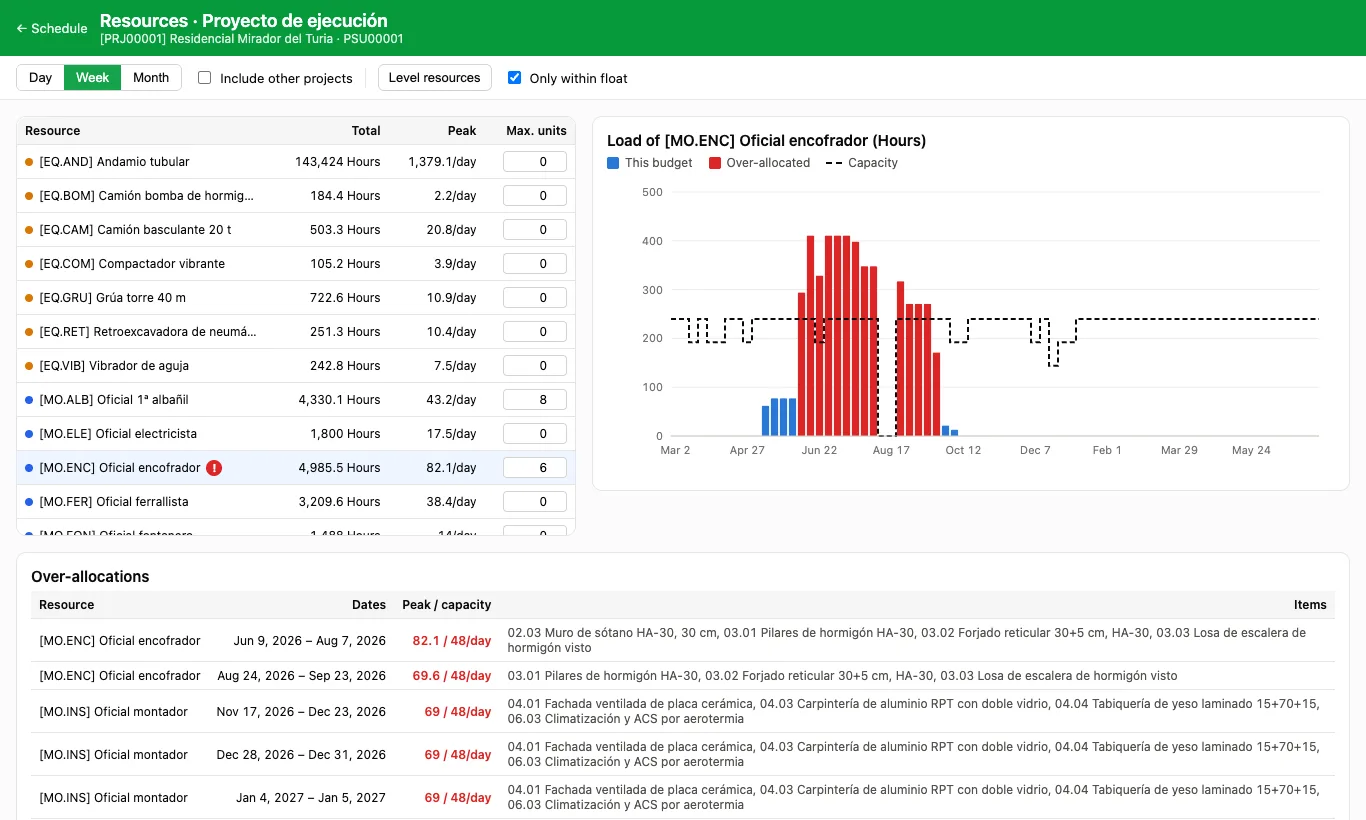
Steps
- In the Gantt click Resources.
- In the list on the left type in Max. units how many people or machines of that resource can work at the same time. It is saved on the product.
- Choose a resource: the chart shows its load, the capacity line and, in red, the over-allocated periods.
- Tick Include other projects to add what the resource has in other budgets on the same dates.
- Over-allocations lists the dates and the items involved, and Resource usage is the table of all resources per period.
Site note
To remove over-allocations automatically, use Level resources.
Daily capacity is Max. units × the company's working day. With 0 there is no limit.
To solve an over-allocation, move one of the items with float in the Gantt or reduce its crew.