Where BIM › Equipment › TMS › Expense record
Before you start
Expense types created in Equipment › TMS › Transportation expenses, each with its Product. To invoice, invoicing permission in Accounting.
Steps
- Create the types in Equipment › TMS › Transportation expenses: Description, Product, Type (only or Recurrent) and Price.
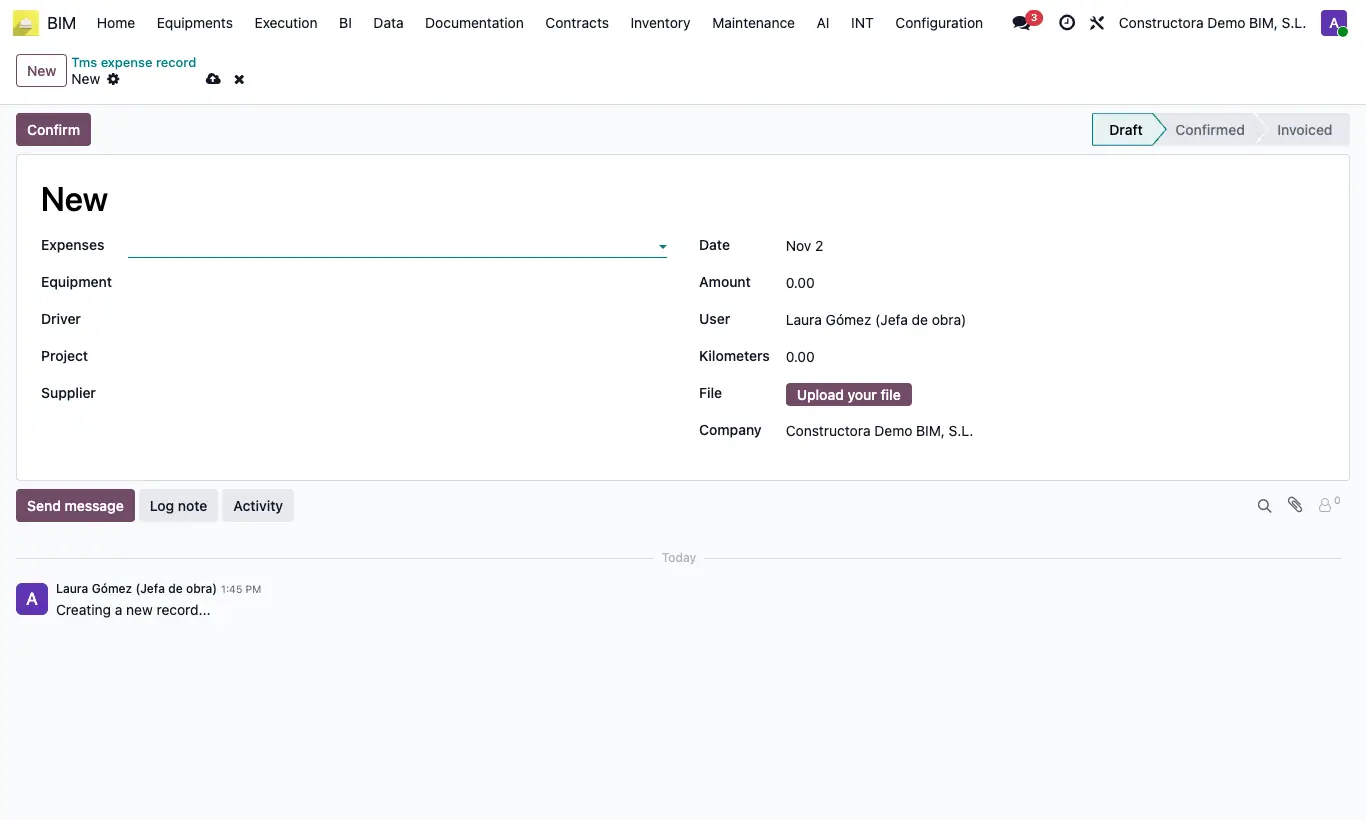
- Go to Equipment › TMS › Expense record and click New.
- Choose Expenses and, if you want, the equipment in Equipment (from Equipment › TMS › Transport equipment): its Driver and its Project are suggested.
- Complete Project and Supplier, and write Amount, Date and Kilometers.
- Click Confirm and then Invoice: the vendor bill is created for the Amount, with the project's analytics, and the expense changes to Invoiced.
Warning
With no product on the expense type or in the settings, Invoice warns: "The expense type … has no product and there is no default expense product in the BIM settings…".
If the project has no analytic account, the invoice is created without analytics and the expense does not count towards the project cost: check it before invoicing.
Site note
If the expense type has no Product, it is invoiced with the Product expense invoice from the Bim 2.0 settings.