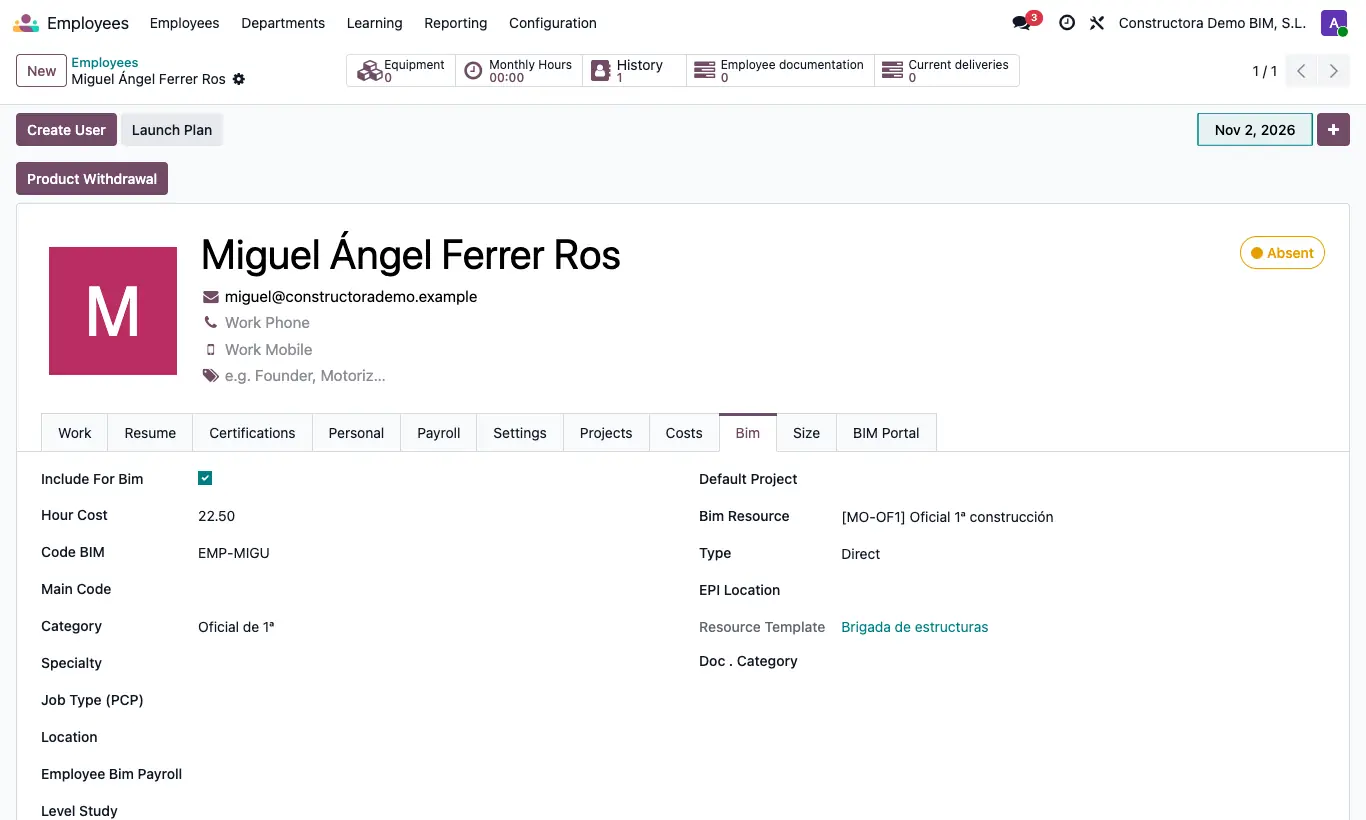
Where Employees › employee record
Steps
- Open the employee's record and go to the tab where Hour Cost and Code BIM are.
- Enter the Hour Cost and leave Include For Bim ticked so their attendance counts toward the project cost.
- Fill in Code BIM (the one used by the time clock), Main Code, Category, Specialty, Job Type (PCP), Location, Employee Bim Payroll and Level Study.
- Choose the Default Project: their attendance goes to that project unless you specify another.
- If the cost changes by period, in the Costs tab add lines with Begin Date, End Date and Cost.
- If you want, fill in the sizes (Shirt, Pant…) and in Projects the projects with their Site Code.
Warning
Without Code BIM the clock-in importer does not recognise the employee.
Site note
Cost of an attendance: if it has extra hours, the Value of that type or its Factor × Hour Cost; if not, the cost of the Costs period, the Hour Cost, or the Default hourly cost in settings.