Where BIM › Home › Certifications › Payment Status
Before you start
BIM Paidstate profile. At least two payment statuses in Validated.
Steps
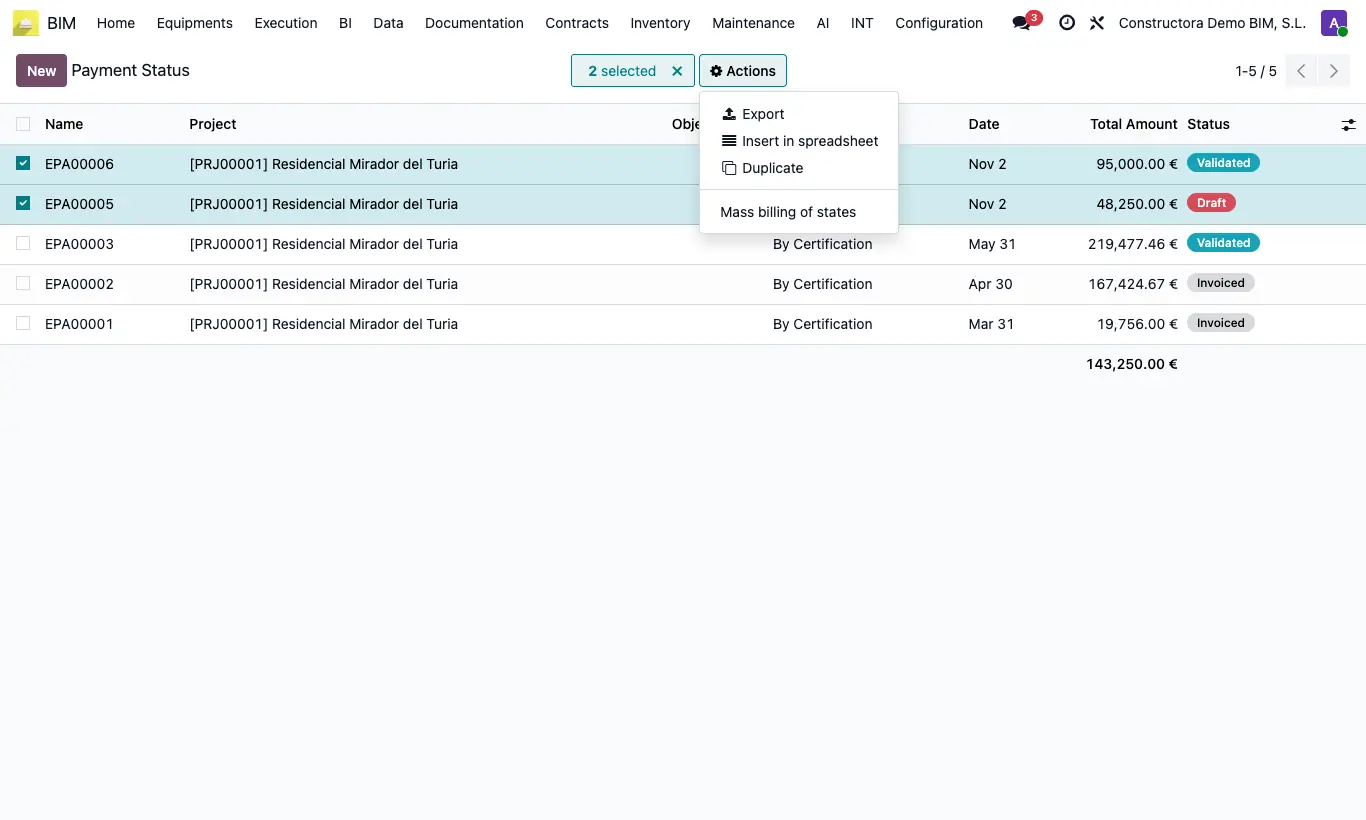
- In the Payment Status list, tick the boxes of the payment statuses you want to invoice together.
- Open the Actions menu and choose Mass billing of states.
- Check the list and click Done.
- The draft invoice opens and all the payment statuses change to Invoiced.
- Check the draft: each payment status contributes its line and, as negatives, its discount, its advance payment and its retention. If all are of type Purchase, the invoice is a vendor bill to the project's Contractor.
Warning
You must select at least two records and all in Validated; otherwise it warns "You must select at least two records" or "You can only select records in validated state".
Sale and Purchase payment statuses cannot be mixed: "Sale and purchase payment statuses cannot be invoiced together".
The invoice uses the customer (or contractor), the project and the date of the first selected payment status: group only payment statuses of the same project.