Where Invoicing › Vendors › Bills
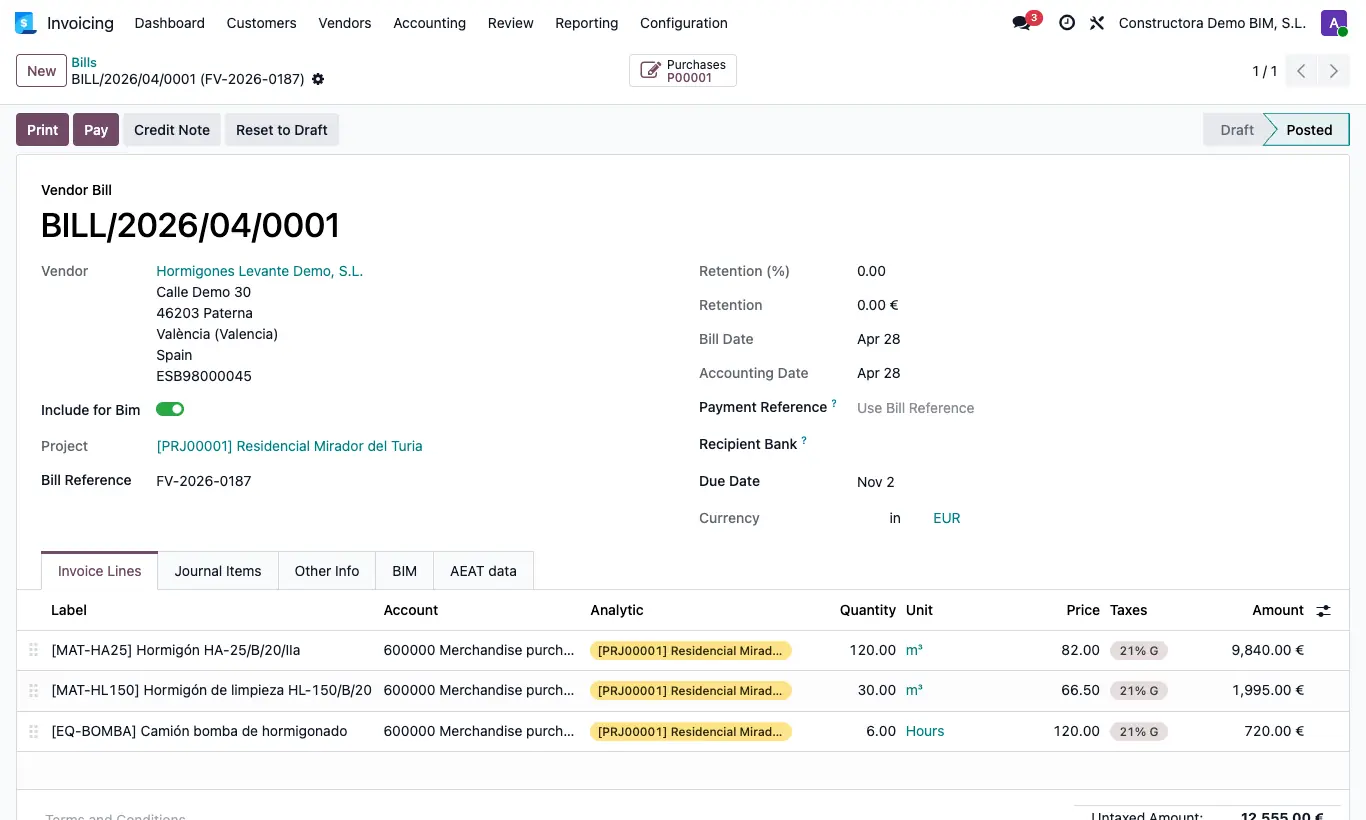
Steps
- Create the bill and choose the Project in the header first.
- Add the lines afterwards: when you choose the product the analytic is suggested.
- Show the Analytic column (columns icon at the end of the header) and check that it is filled in on all lines.
- Also fill in the line's Budget, which earned value uses.
- Check that the Include For Bim switch is on and post the bill.
Warning
Setting the project in the header is not enough. If the line has no analytic, the expense does not appear on the project and the program does not warn you.