Where Budget › Actions › Bim Budget Export
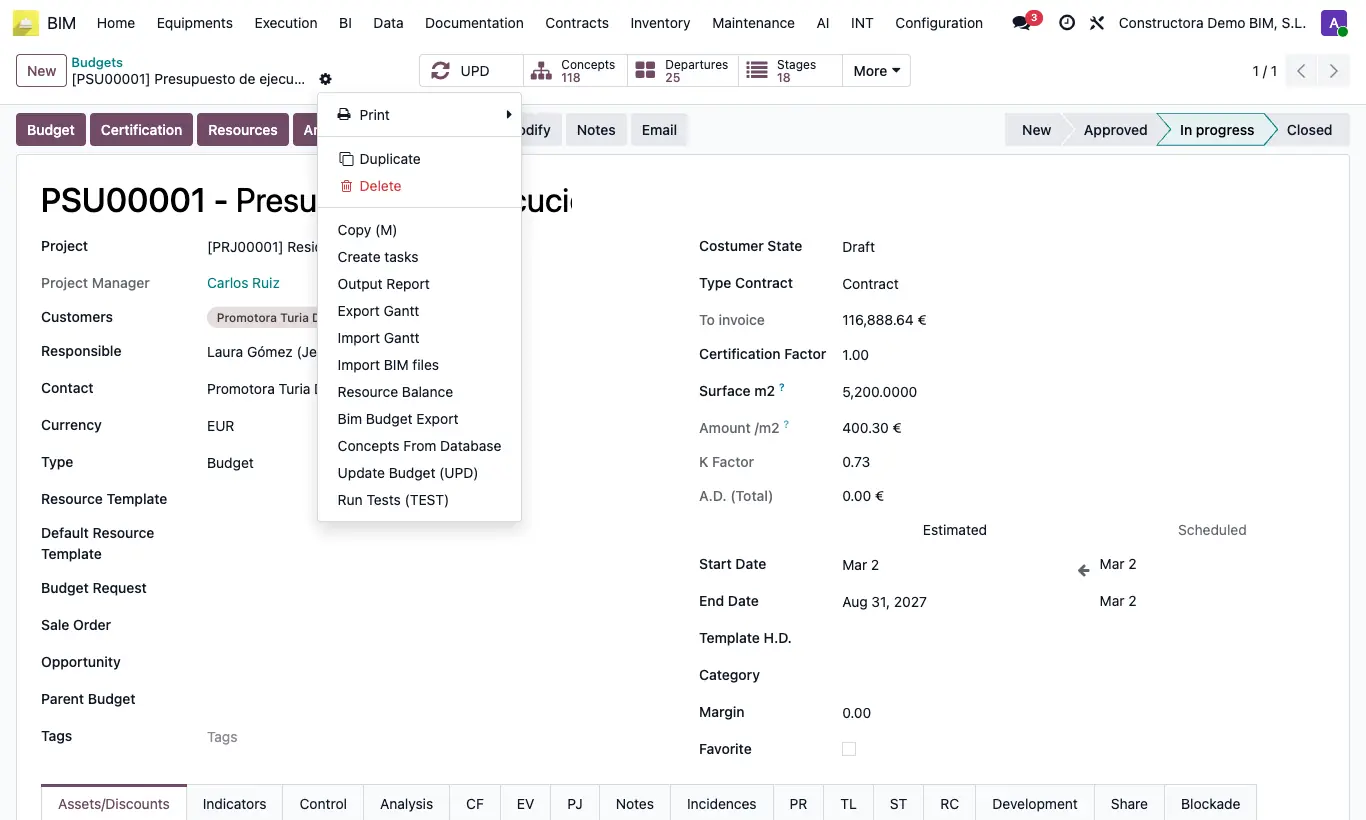
Steps
- Open the budget and click UPD.
- Open Actions (gear) and choose Bim Budget Export.
- In Export Type choose Budget (CSV), Budget 2000 (Excel), ExJson, Product or Concept Template.
- With Product, choose whether you export Price or Cost in Price Type.
- Click Export and save the file.
Site note
Budget 2000 has the columns PARTIDA, NAT, UNIDAD, DESCRIPCION DE PARTIDA, MEDICION, PRECIO, IMPORTE, INICIO, FIN, RENDIMIENTO and DURACION: it serves as a model for the Model 2000 importer.
Budget (CSV) is imported back with Concept Template Import, type Budget. ExJson is imported with Import Bim File.
Unit prices are exported the same way from their list: check them and use Actions › Bim Concept Template Export.