Where BIM › Home › Certifications › Payment Status
Before you start
BIM Payment Status profile. Objects created in Home › Projects › Project Objects.
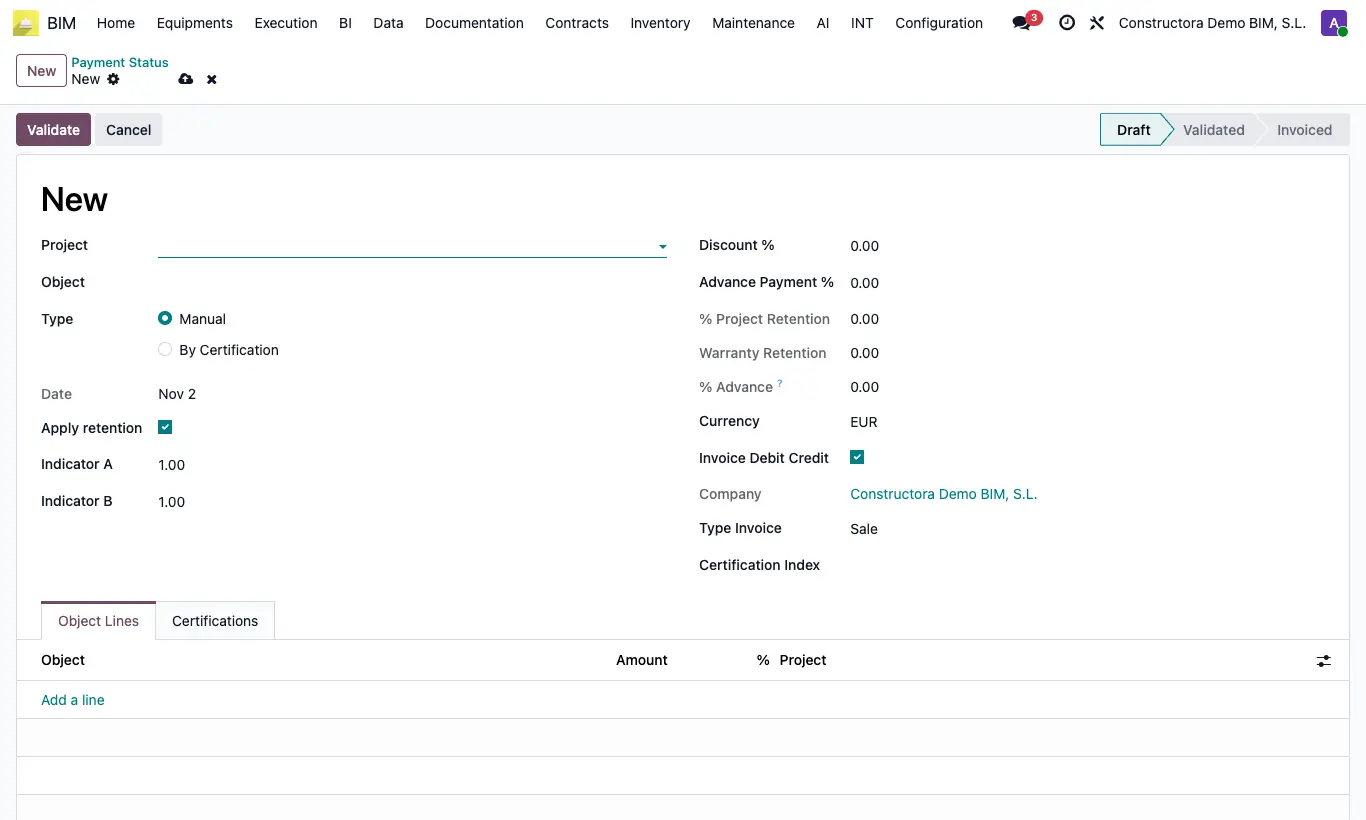
Steps
- Click New in Payment Status and choose the Project. The first Object of the project is proposed.
- Check the Type Manual.
- In the Object Lines tab add one line per object with its Amount (and the % if you want to note it).
- Review retention, Discount % and Advance Payment %.
- Click Validate and then Generate Invoice: one invoice line per object comes out.
Warning
The Type can only be changed in Draft. When you change it, the lines tab changes: lines of the other type are not invoiced.
Site note
If the header Object has an analytic account, the invoice uses that analytic account instead of the project's.
On the invoice, each amount is multiplied by Indicator A (1 by default).
In Manual payment statuses the % Advance is always 0.