Where BIM › Execution › Product Specifications
Before you start
BIM Portal Customer Odoo module installed.
Steps
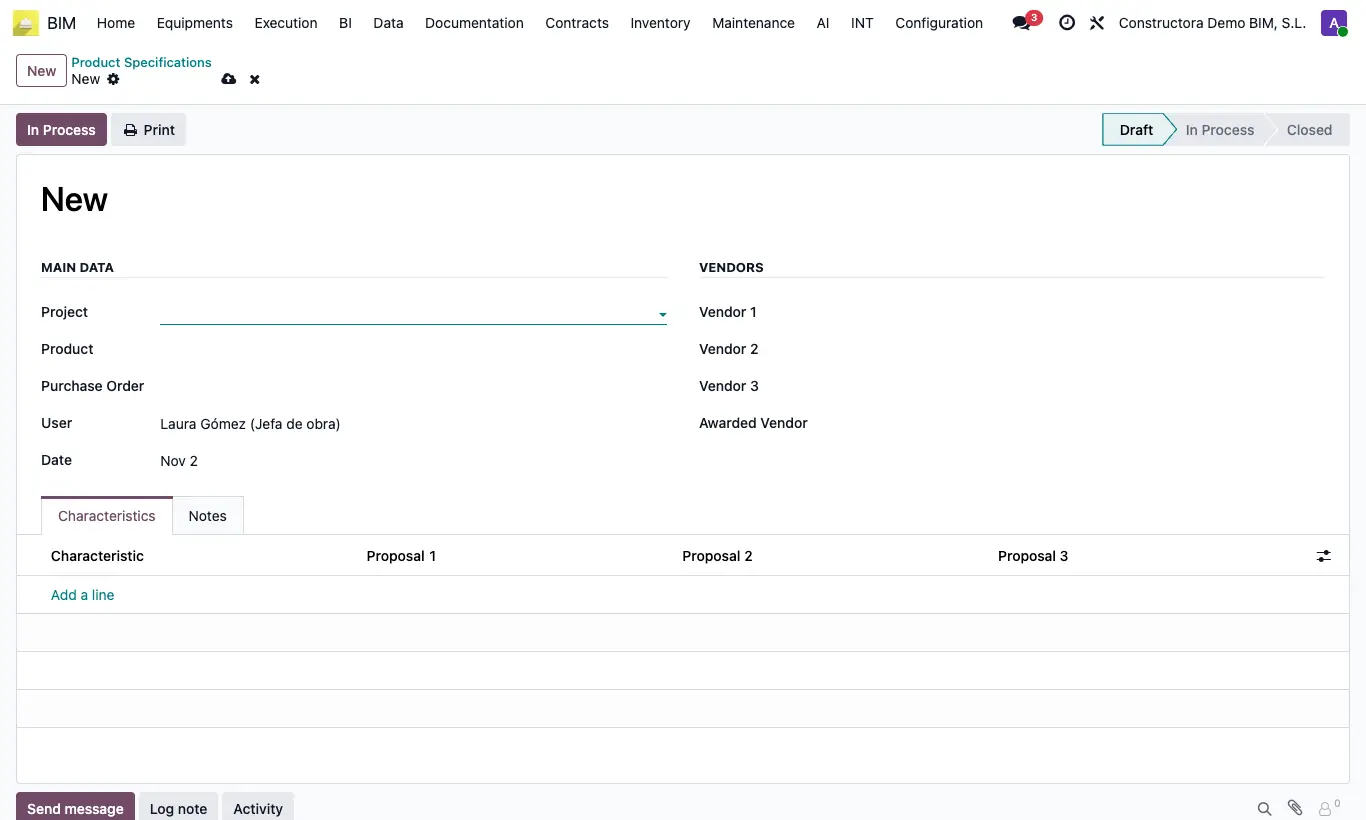
- Go to BIM › Execution › Product Specifications and click New, or click Specifications from the project or from a purchase order.
- In Main Data choose the Project (required), the Product and, if it already exists, the Purchase order.
- In Vendors choose Vendor 1, Vendor 2 and Vendor 3.
- In Characteristics add one line per requirement (dimensions, finish, lead time, warranty…) and fill in Proposal 1, Proposal 2 and Proposal 3.
- Click In Process while you negotiate and choose the Awarded Vendor.
- Click Close when it is decided and Print to get the comparison as a PDF.
Warning
A Closed specification does not allow changes to vendors, characteristics or notes; use Set to Draft to correct it.