Where BIM › Inventory › PPE › Transfers
Before you start
Deliver product user profile and Inventory as User. EPI deliver location on the company.
Steps
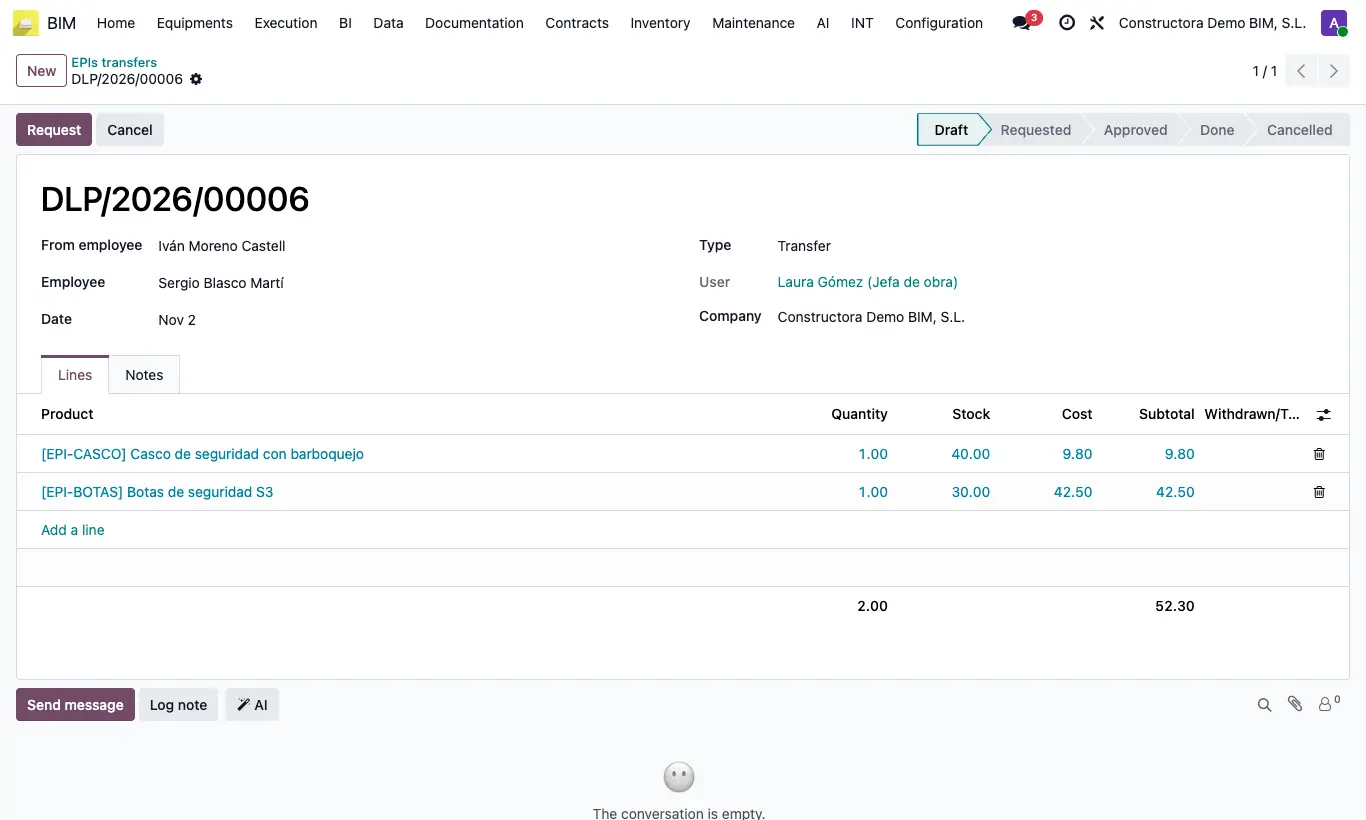
- Go to Inventory › PPE › Transfers and click New: the Type is already Transfer.
- Choose From employee (who has them), Employee (who receives them) and the Date.
- In Lines add the products and their Quantity.
- Click Request, Approve and Register movement: the transfer becomes Done.
Warning
Even if it is not used for the transfer, the company must have an EPI deliver location and the receiver their EPI Location; otherwise you get “You must configure the delivery location and the destination location”.
To move the inventory you need an internal operation type whose default source is the EPI Location of From employee; otherwise you get “No internal operation type has been set for location …”.
Site note
If the two employees have different EPI Locations, a delivery note is created and validated between them. If the giver has none, the transfer is recorded without moving inventory.