Where BIM › Inventory › PPE › Withdrawals
Before you start
Deliver product user profile and Inventory as User. PPE locations configured on the company and on the employee.
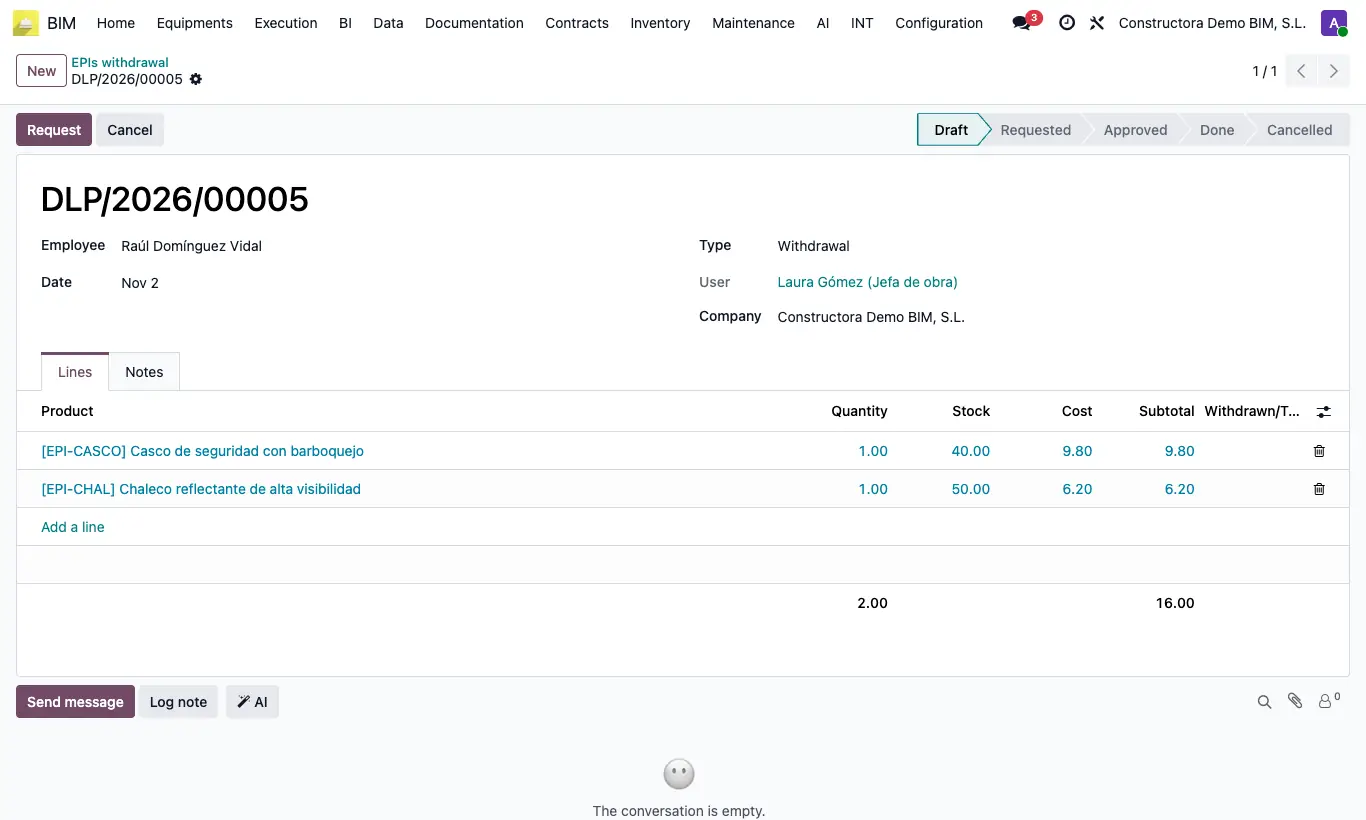
Steps
- Go to Inventory › PPE › Withdrawals and click New: the Type is already Withdrawal.
- Choose the Employee and the Date.
- In Lines add the products they return with their Quantity.
- Click Request and Approve.
- Click Register movement: the delivery note is created and validated from the employee's EPI Location to the EPI deliver location, and the withdrawal becomes Done.
Warning
Inventory needs an internal operation type whose default source is the employee's EPI Location; otherwise you get “No internal operation type has been set for location …”. Create it in Inventory › Config › Operation Types.
The withdrawal does not change the original delivery: the Current deliveries counter on the employee's form does not go down with a withdrawal made from this menu.