Where BIM › Inventory › PPE › Massive deliveries
Before you start
Deliver product user profile and Inventory as User. PPE locations configured on the company and on each employee.
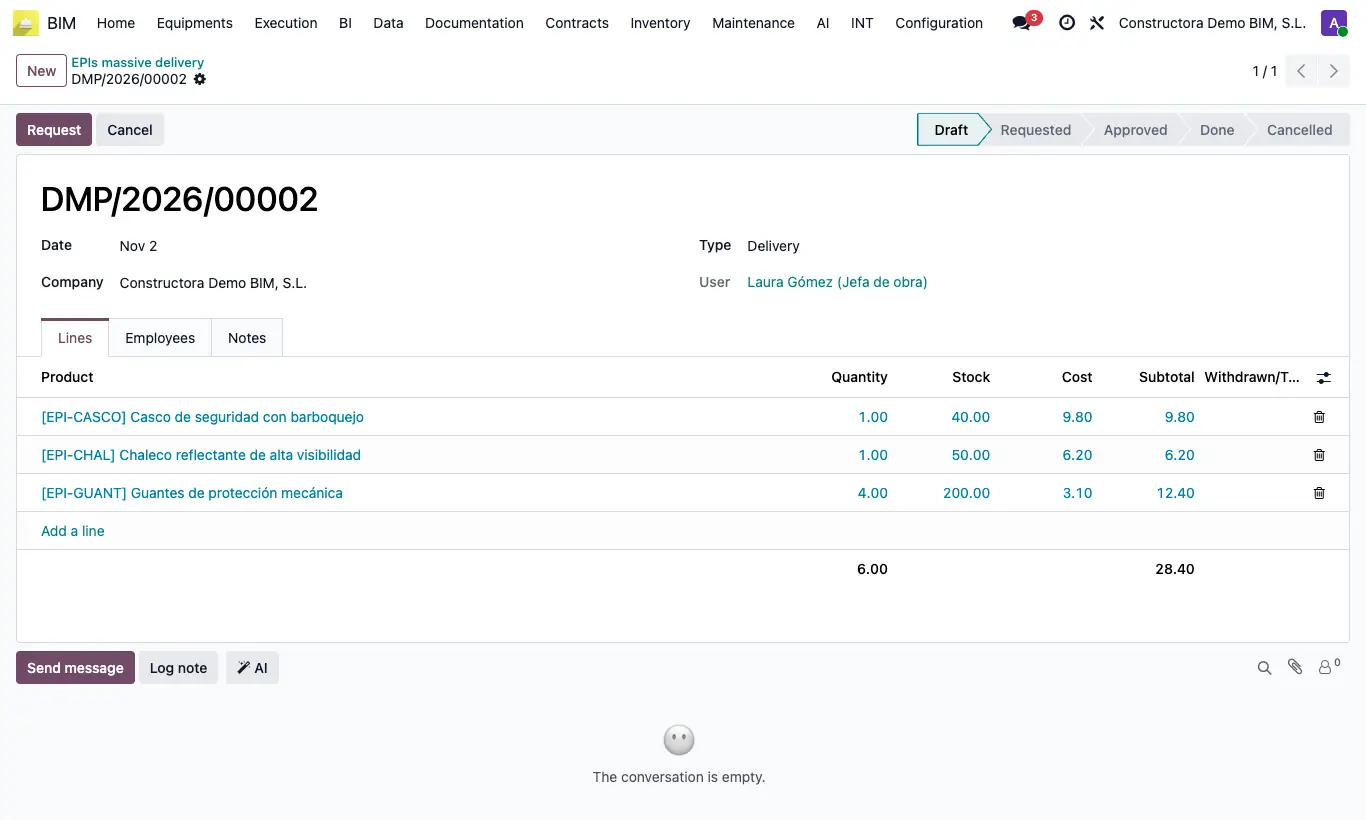
Steps
- Go to Inventory › PPE › Massive deliveries and click New. Choose the Date and leave the Type on Delivery.
- In Lines add each Product with the Quantity each employee receives; the Cost is proposed from the product.
- In the Employees tab add everyone who receives it.
- Click Request and then Approve.
- Click Deliver: one delivery note is created and validated per employee, from the EPI deliver location to their EPI Location. You see them in the Transfers tab.
Warning
Without products or without employees it will not let you continue: “You must add products.” or “You must add employees.”.
Only the Delivery Type moves inventory. With Withdrawal or Transfer the document becomes Done without creating delivery notes: for that use Withdrawals or Transfers.
If an employee has no EPI Location you get “You must configure the delivery location and the destination location” and nobody receives anything: check all the forms beforehand.
Site note
The quantity on each line is per person: with 10 employees and a line of 2 pairs of gloves, 20 go out.