Where BIM › Home › Projects › Budgets
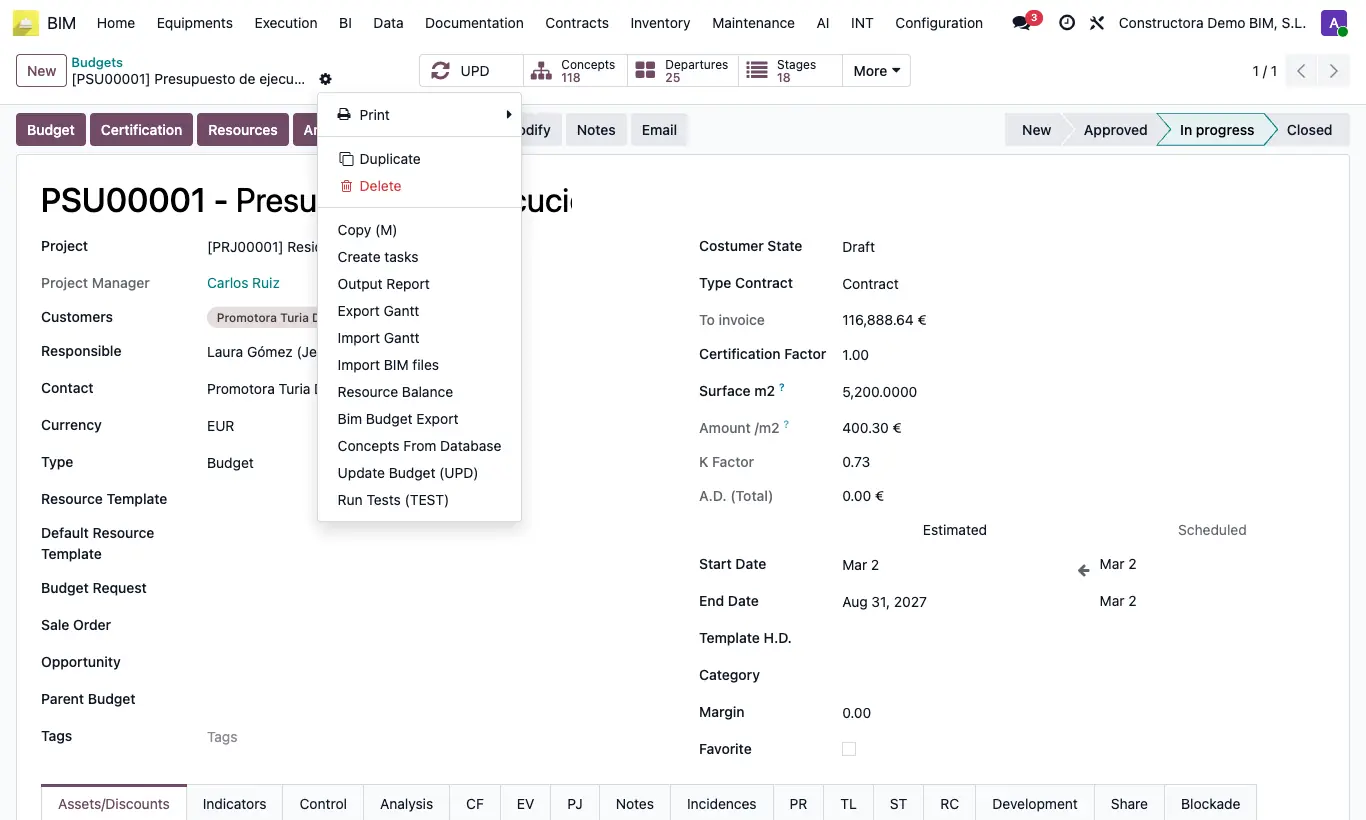
Steps
- Open the budget you want to copy.
- Open the Actions menu (gear icon) and click Duplicate.
- The program creates a new budget with its own Code and the name followed by V1 (if it already ended in V1, it becomes V2, and so on).
- The copy includes chapters, items, resources, measurements and spaces, and the same Template H.D.
- Review the copy and click UPD.
Warning
Budgets of type Certification cannot be deleted: the program prevents it.
Site note
If you only want to save a snapshot of the budget so you can go back without creating another budget, use the history snapshots.
To copy a budget from another project into the current project, use the project's Template button.