Where BIM › Home › Certifications › Certifications
Before you start
BIM Certification profile. The certification's stage must not be approved.
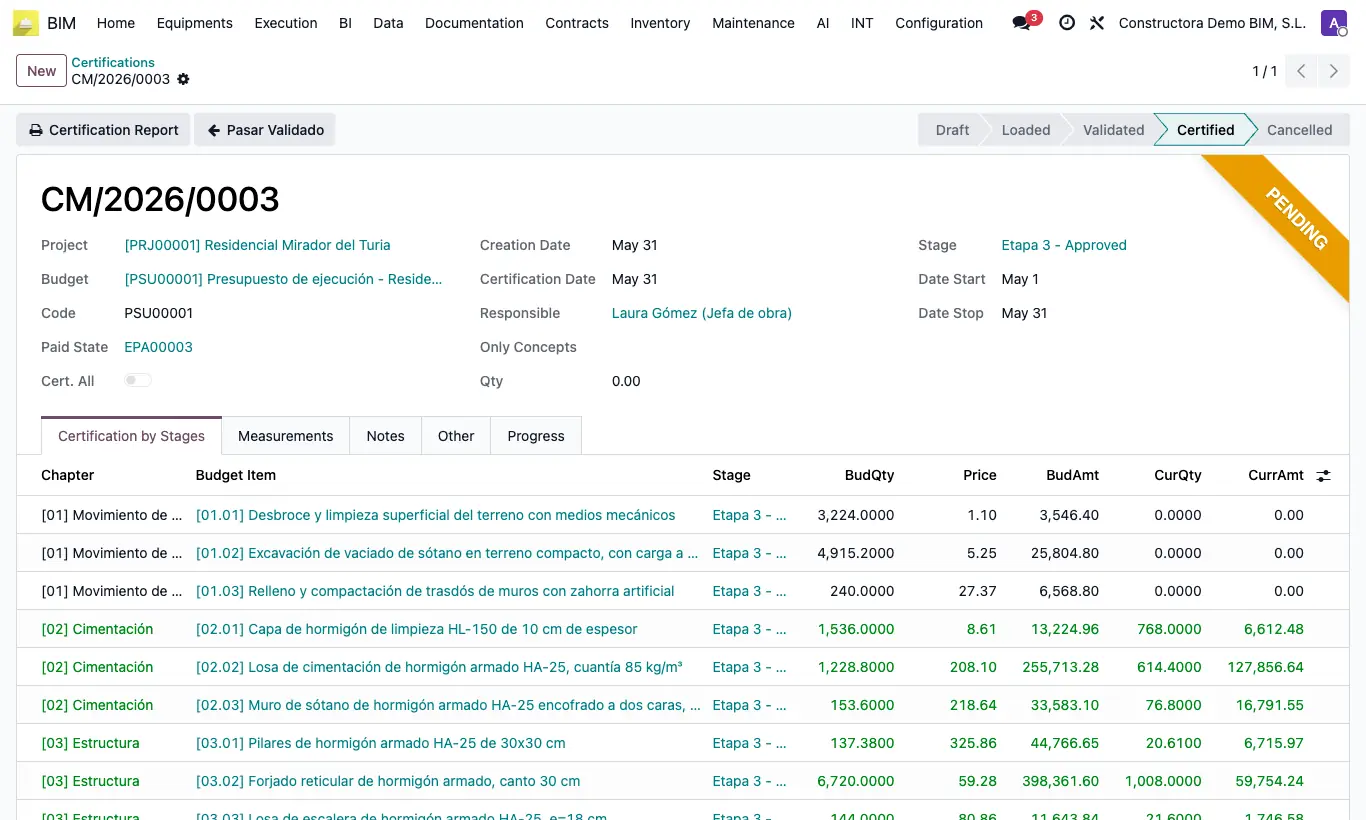
Steps
- Open the certification in Certified state.
- To correct a quantity, click Pasar Validado and confirm "Are you sure you want to move to Validated?": it subtracts from the budget what had been certified and goes back to Validated keeping the CurQty of each line.
- To start from scratch, click Undo (it only appears if the certification does not yet have a payment status): it subtracts what was certified, goes back to Validated and sets the CurQty of all lines to zero.
- Correct the quantities and click Certify again. What was certified is not added twice.
- If you need to change the loaded lines, click Pasar Cargado from Validated.
Warning
If the certification's stage is already approved, "This certification cannot be undone because it contains an approved stage" appears.
Once the payment status has been created, only Pasar Validado remains: after correcting and certifying again, check the payment status and its invoice.
A certification in Certified cannot be deleted: "An applied certification cannot be deleted. You must first undo it and then delete it".