BIM 2.0Odoo 19

Process manual

Search for what you want to do and follow the steps. Each process shows where it is in the menu, what you need first and which mistakes to avoid.

The life of a project

Budgets

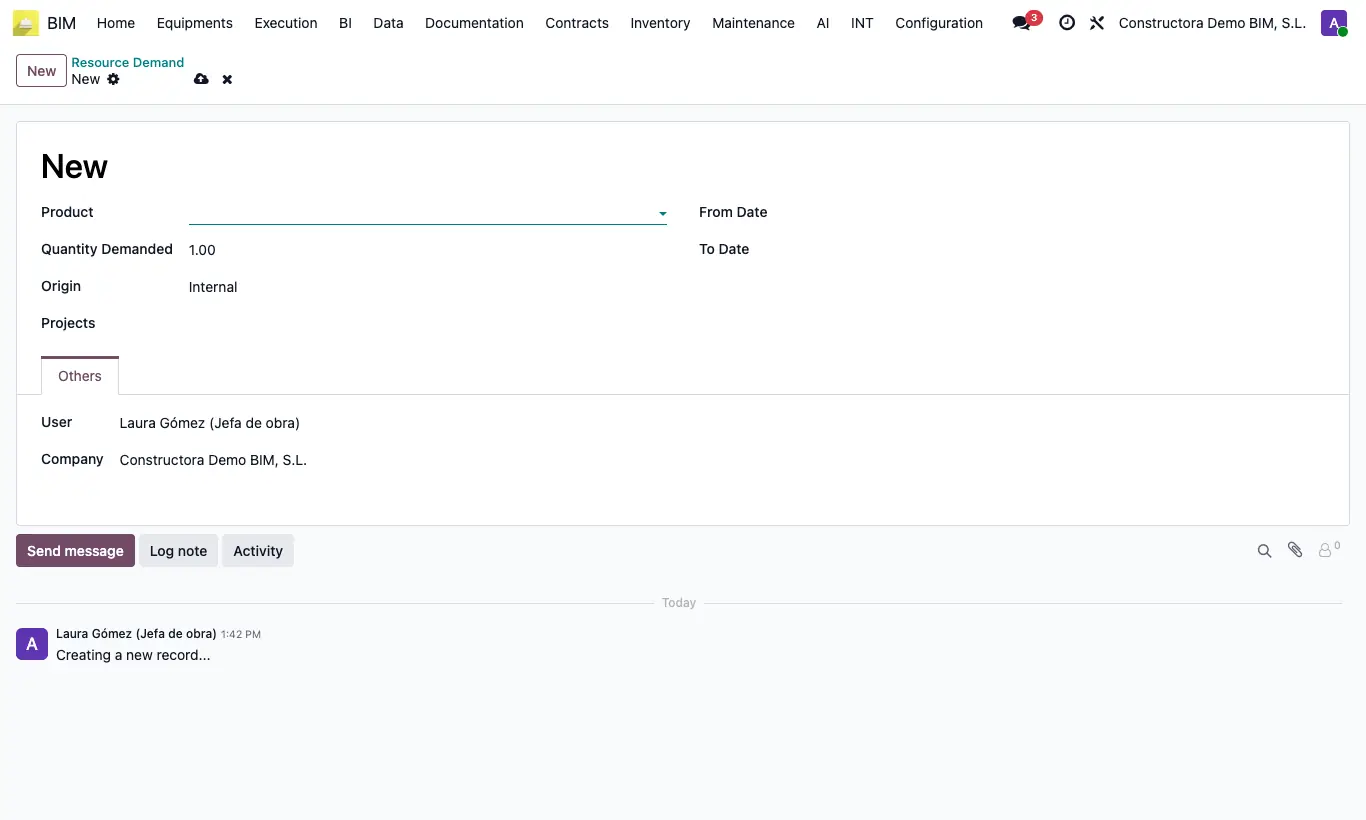
How do I register a resource demand?Note which resource is needed, how much, between which dates and for which projects.

Where BIM › Execution › Programming › Resource Demands
How do I register a resource demand?

Steps

  1. Go to Execution › Programming › Resource Demands and click New.
  2. Choose the Product and type the Quantity Demanded.
  3. Enter the Origin and the projects in Projects.
  4. Fill in From Date and To Date and save.
Site note

It is an informational record: it does not reserve, buy or modify the budget.

Documented version: BIM 2.0 (base_bim_2 19.0.19.04.2026) · Odoo 19