Where CRM › Opportunity › Requests button
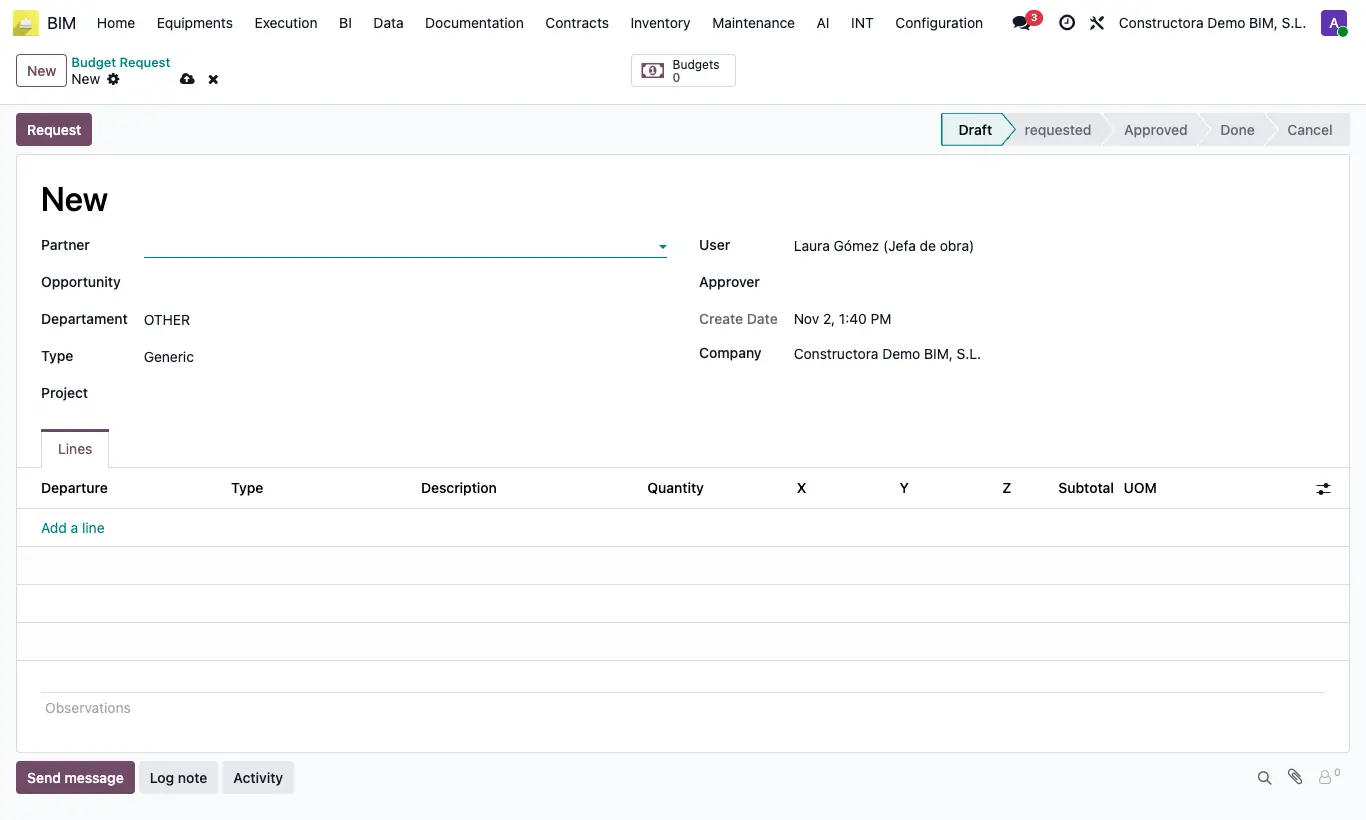
Steps
- Open the opportunity and click the Requests smart button.
- Click New. The request inherits the customer and the description of the opportunity.
- Choose the type: Generic for free items or Apu to start from unit prices.
- Add the lines with quantity and dimensions (X, Y, Z).
- Click To Required and, whoever is responsible, Approve.
- Click Create Budget: a budget is generated with the request lines.
Site note
Requests are also at BIM › Home › Projects › Budget Request.