Where CRM › Sales › Budget samples
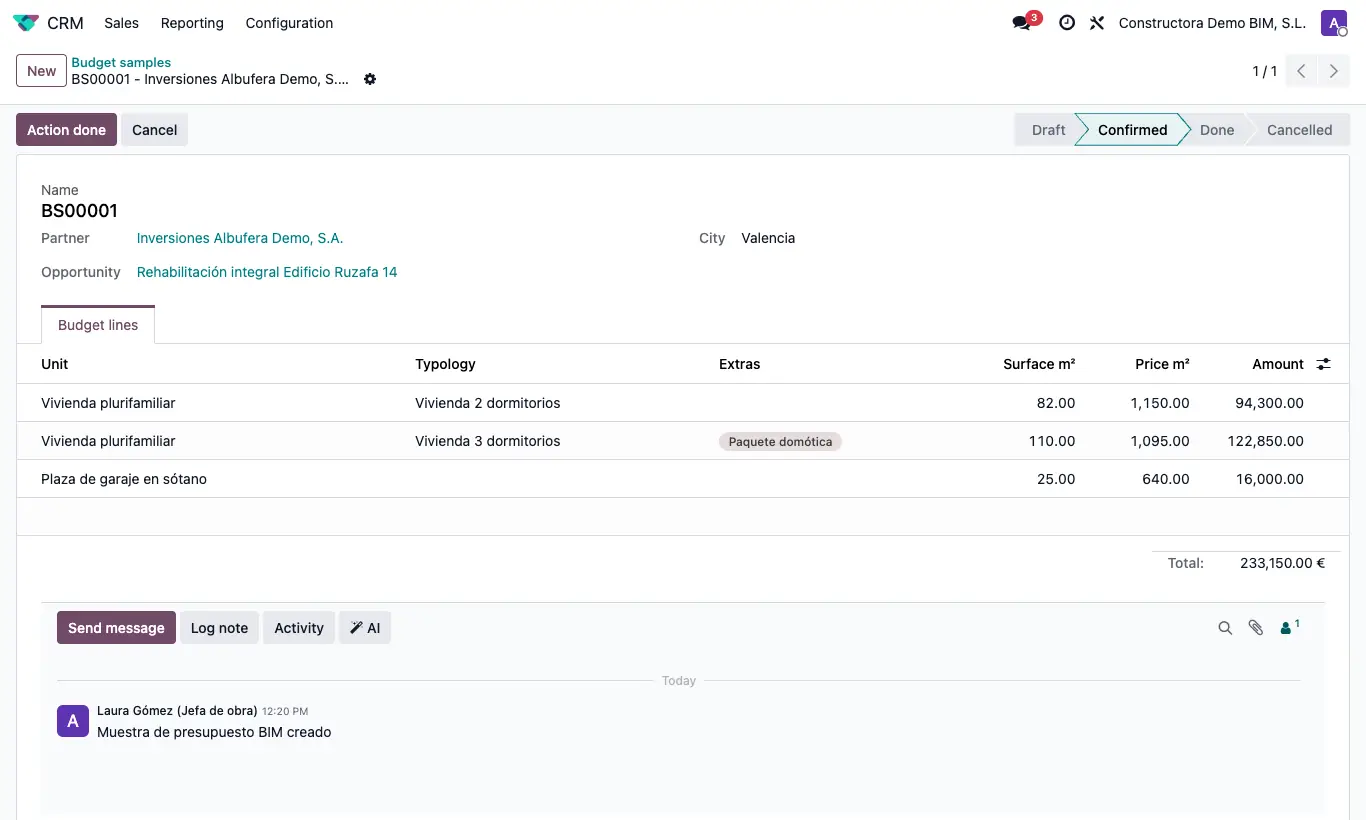
Steps
- From the opportunity click Budget Samples, or go to CRM › Sales › Budget samples and click New.
- Enter the customer and the city.
- On the lines, choose the Unit, the Typology and the Surface m². The price per m² fills in by itself.
- Add the relevant Extras: they are added to the line amount.
- Click Confirm.
- Click Action done: a sales order is created with one line per unit. Open it from the Orders button.
Warning
If the unit has typologies, the typology is mandatory on the line.