BIM 2.0Odoo 19

Process manual

Search for what you want to do and follow the steps. Each process shows where it is in the menu, what you need first and which mistakes to avoid.

The life of a project

CRM and sales

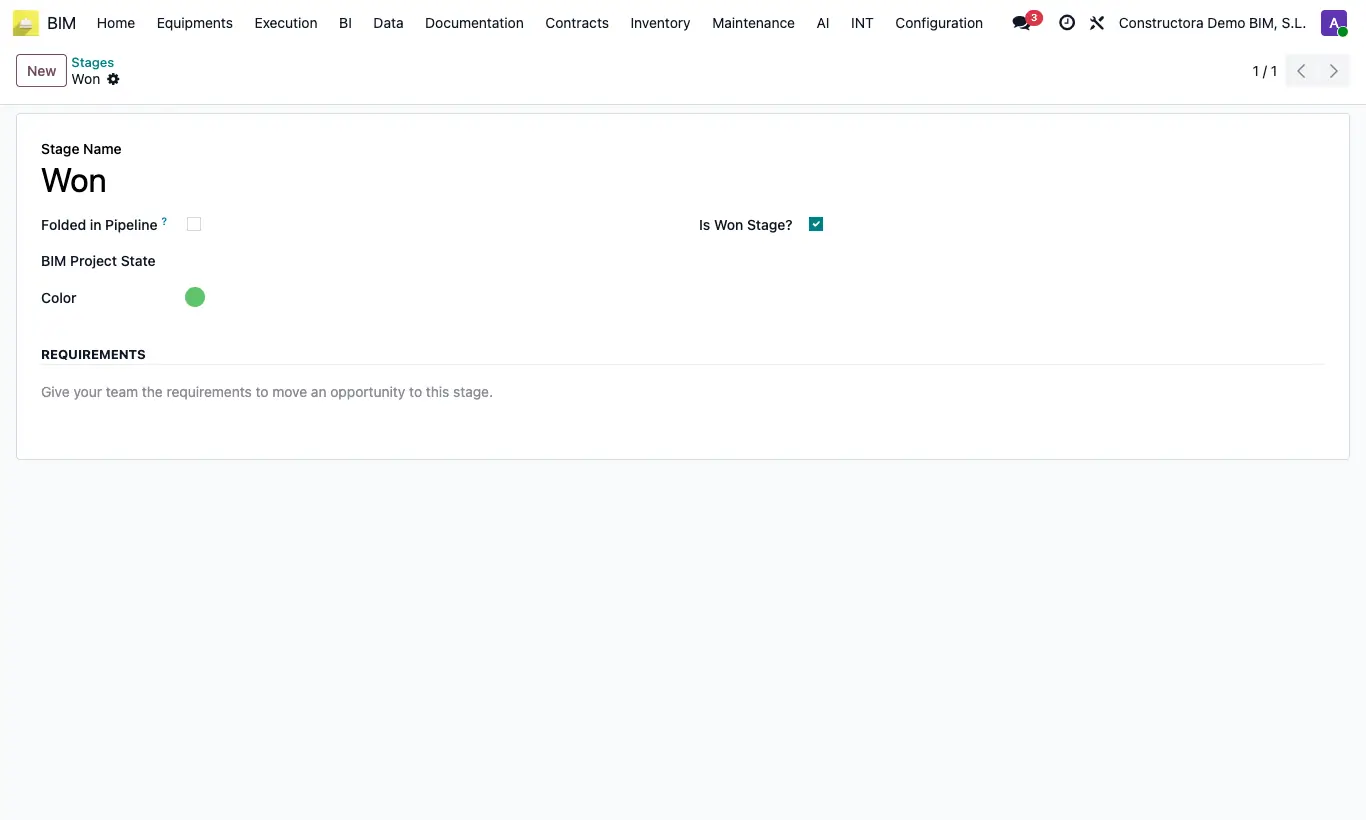
How do I make the CRM stage change the project status?When you move the opportunity in the pipeline, its projects change status automatically.

Where CRM › Config › Stages
How do I make the CRM stage change the project status?

Steps

  1. Go to CRM › Config › Stages.
  2. Open the stage, for example Is Won.
  3. In the BIM Project State field, choose the matching project status, for example In execution.
  4. Save. From now on, when you move an opportunity to that stage, all its projects switch to that status.
Warning

Only the projects that have that opportunity in their Opportunity field change.

Documented version: BIM 2.0 (base_bim_2 19.0.19.04.2026) · Odoo 19