Where CRM › Config › BIM
Before you start
BIM Administrator profile.
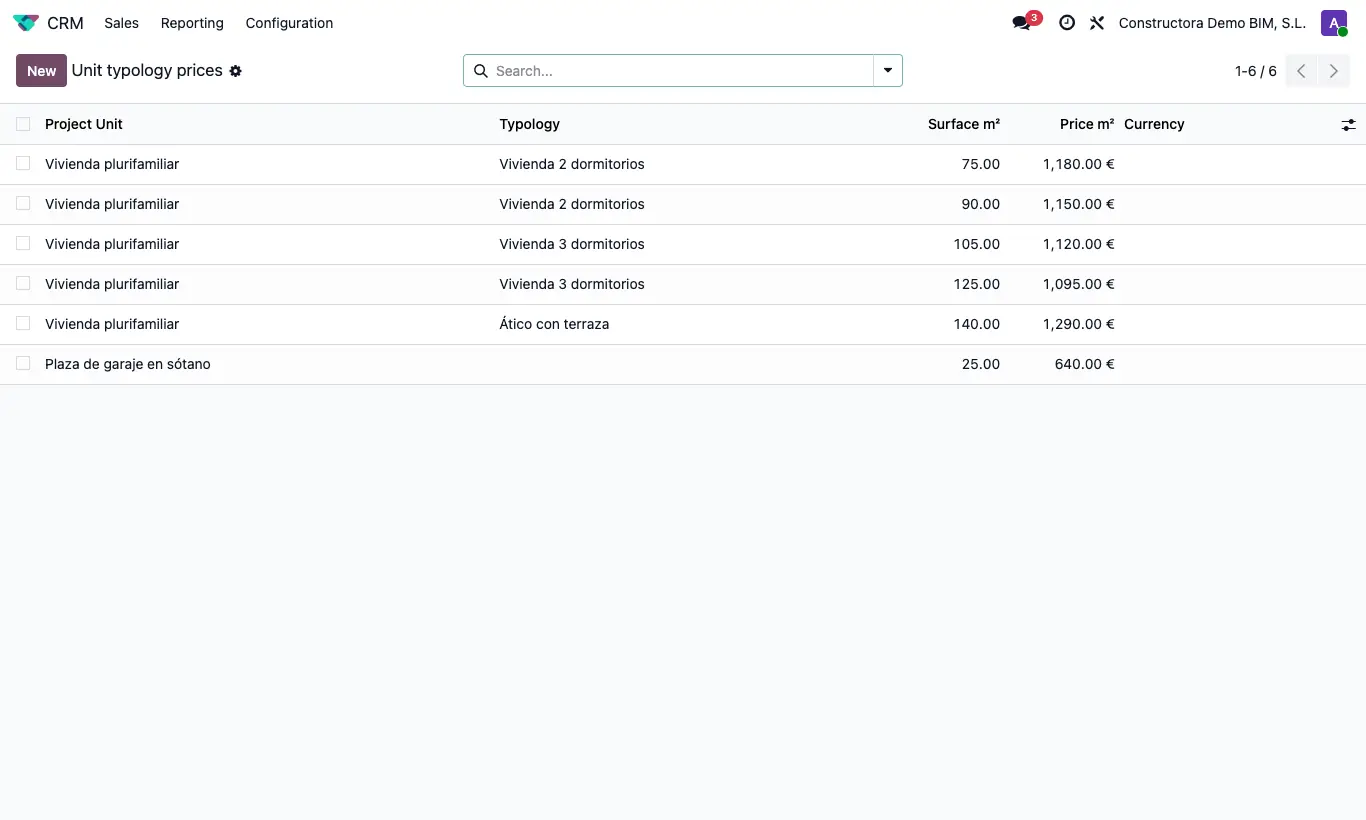
Steps
- In CRM › Config › BIM › Typologies, create the typologies (for example: basic, medium, high).
- In Project units, create the units you sell (home, premises, refurbishment...) and link to each one a service product and its typologies.
- In Unit typology prices, enter the price per m² of each unit and typology according to the maximum surface.
- In Budget extras, create the fixed-price extras (swimming pool, home automation...).
Site note
The program takes the price of the first tier whose surface is equal to or greater than the one requested. If the surface exceeds all tiers, it uses the largest one.