BIM 2.0Odoo 19

Process manual

Search for what you want to do and follow the steps. Each process shows where it is in the menu, what you need first and which mistakes to avoid.

The life of a project

Planning and scheduling

How do I create the certification stages?Stages are the certification periods. Without them you cannot certify.

Where Budget › Stages button
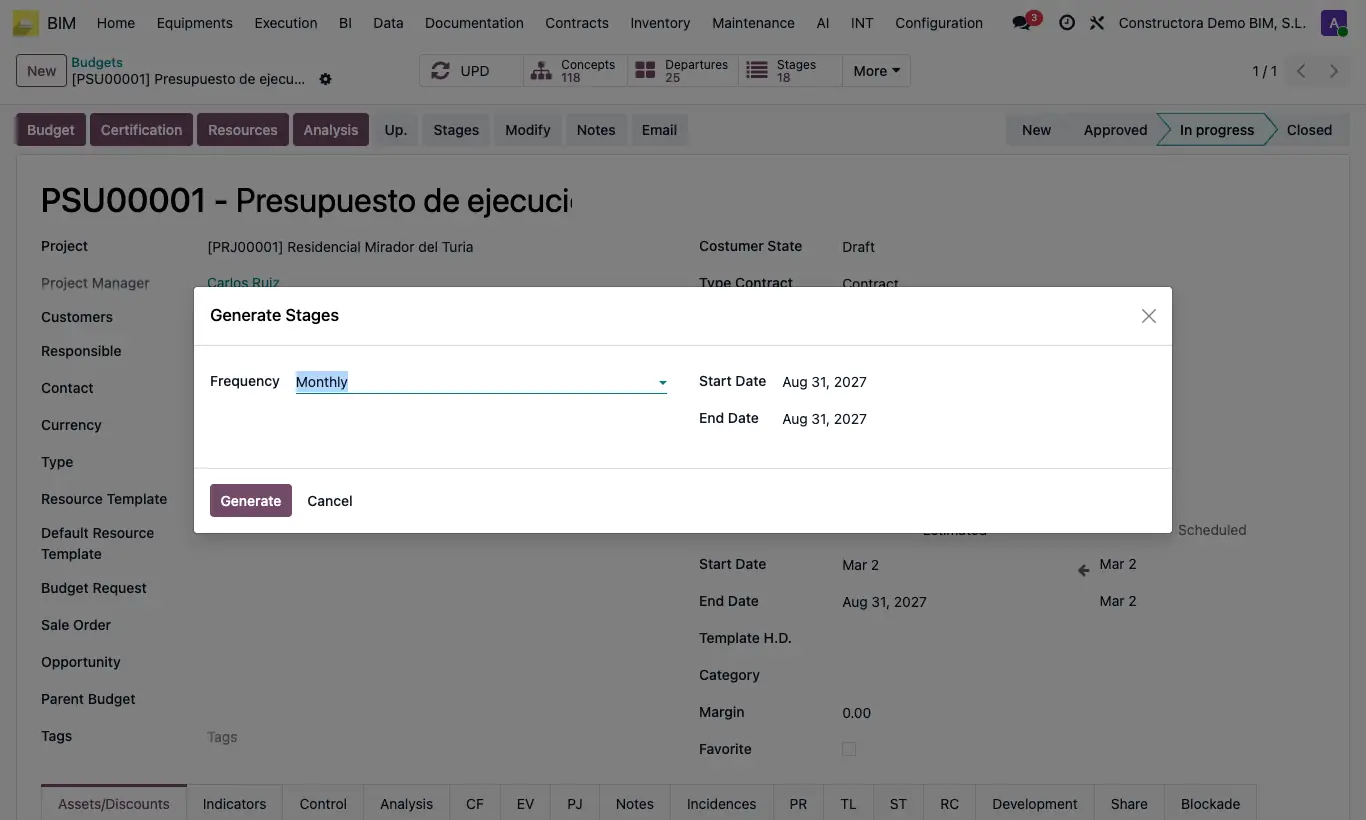
How do I create the certification stages?

Steps

  1. Open the budget.
  2. Click Stages in the header.
  3. Choose the frequency: weekly, biweekly, monthly, bimonthly, quarterly or semiannual.
  4. Check the dates and click Generate.
Site note

Each stage goes through Pending › Current › Approved. There is only one Current; when it is approved, the next one takes over.

The list is at Home › Certifications › Stages.

Documented version: BIM 2.0 (base_bim_2 19.0.19.04.2026) · Odoo 19