Where Project › Project Cost tab
Before you start
BIM Manager profile or See project costs.
Steps
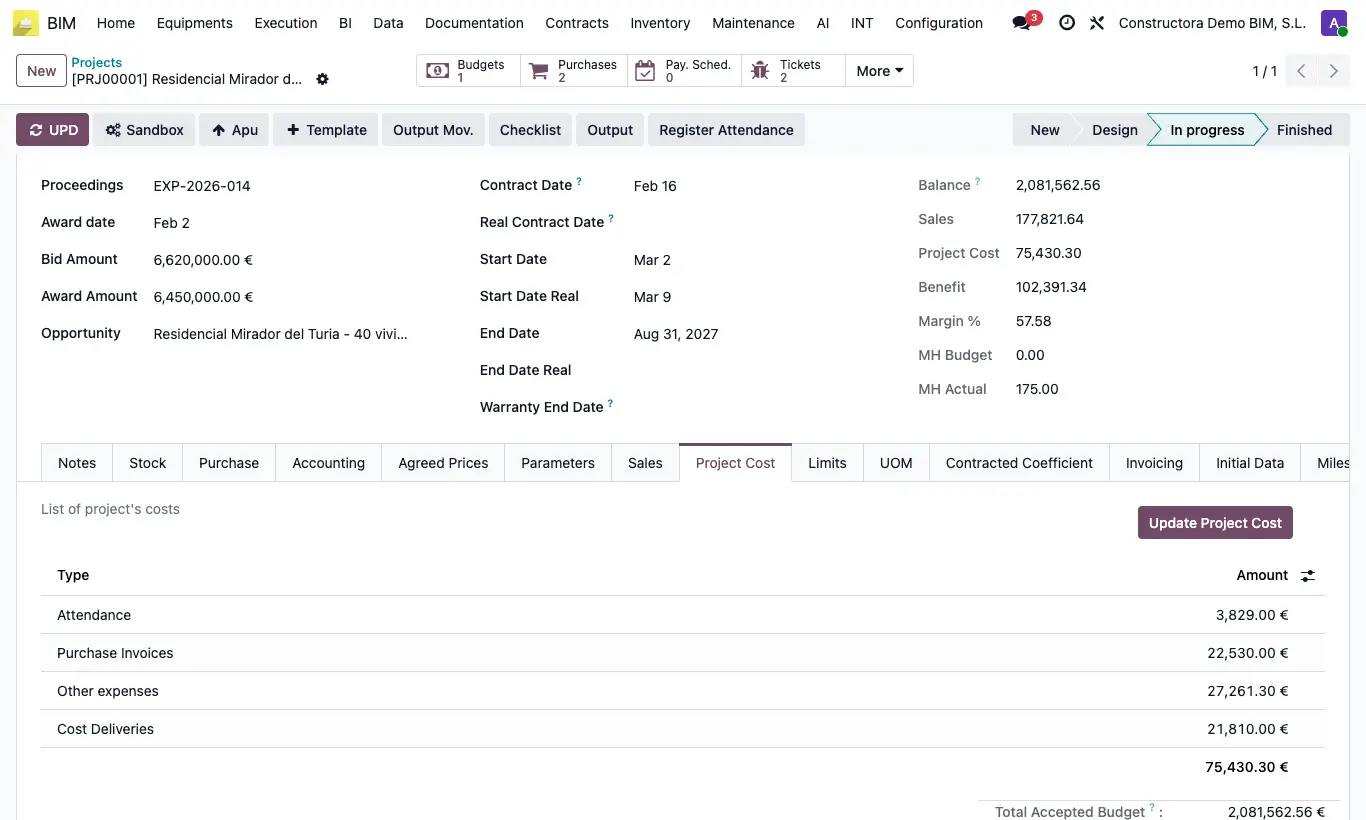
- Open the project and click UPD (or Update Project Cost inside the Project Cost tab).
- In Project Cost look at the lines by Type: Attendance, Labor (Allocation), Partner Attendance and Project Report.
- In the Costs block of the record compare MH Budget (hours of the items) with MH Actual (hours from attendance).
- For detail, use the project's Attendance, Timesheets and P. Attendance buttons.
Warning
Attendance and allocations are added separately: if you record the same hours both ways, the cost comes out doubled. Choose one per project.
The figures do not update by themselves: click UPD before reviewing them.
Site note
Attendance adds up the employees' attendance with Include For Bim; Labor (Allocation), the non-cancelled allocations; Partner Attendance, the subcontractor ones with Include in BIM.