BIM 2.0Odoo 19

Process manual

Search for what you want to do and follow the steps. Each process shows where it is in the menu, what you need first and which mistakes to avoid.

The life of a project

Budgets

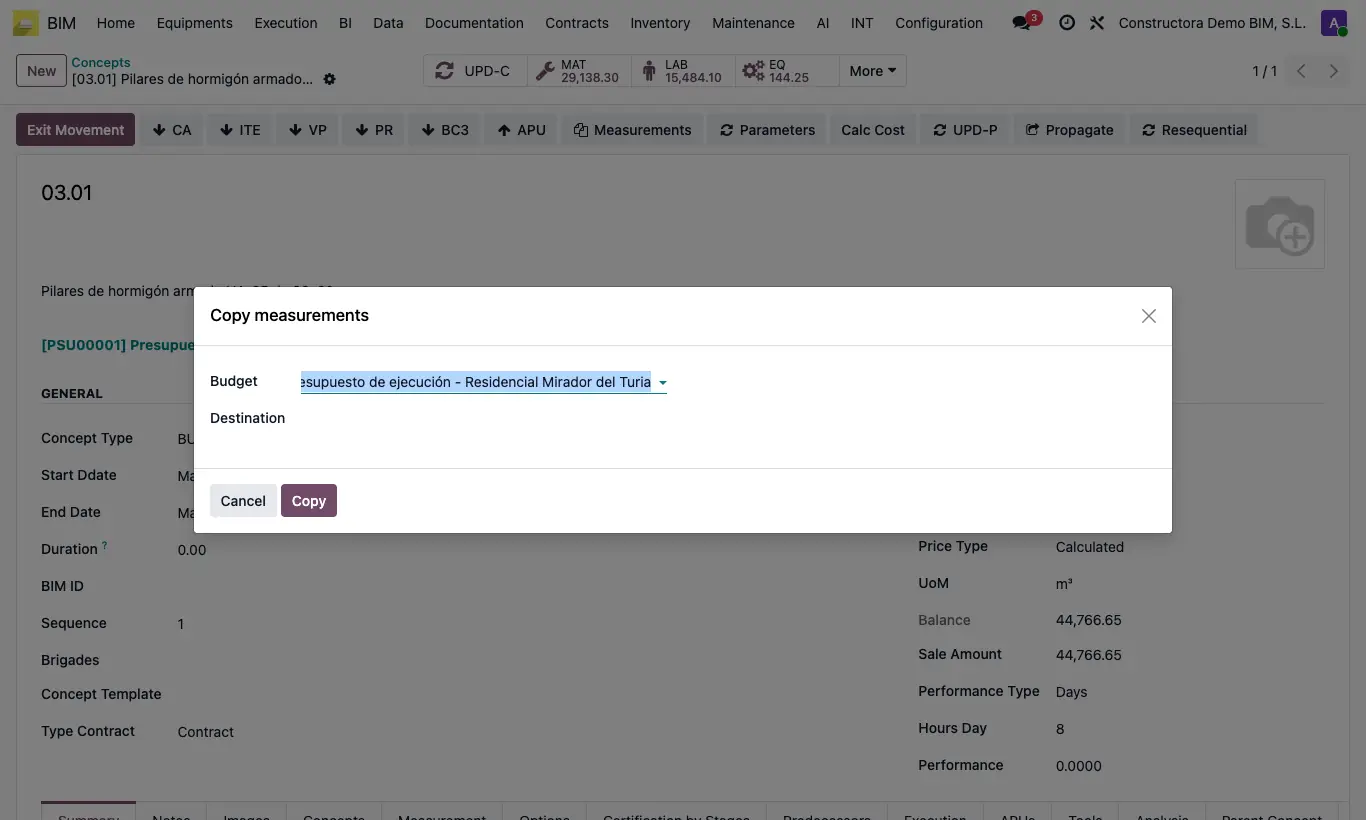
How do I copy the measurements from one item to another?Reuse the measurement lines in another item, in the same budget or another one.

Where Item › Measurements button
How do I copy the measurements from one item to another?

Steps

  1. Open the item that already has measurements.
  2. Click Measurements in the header.
  3. Choose the destination Budget and the Destination item.
  4. Click Copy: the lines are added to those the destination item already has and its quantity is recalculated.
Site note

If the destination is in another budget, spaces are looked up by code and, if they do not exist, they are created.

Documented version: BIM 2.0 (base_bim_2 19.0.19.04.2026) · Odoo 19