Where BIM › Config › General Config › General Config
BIM Manager profile.
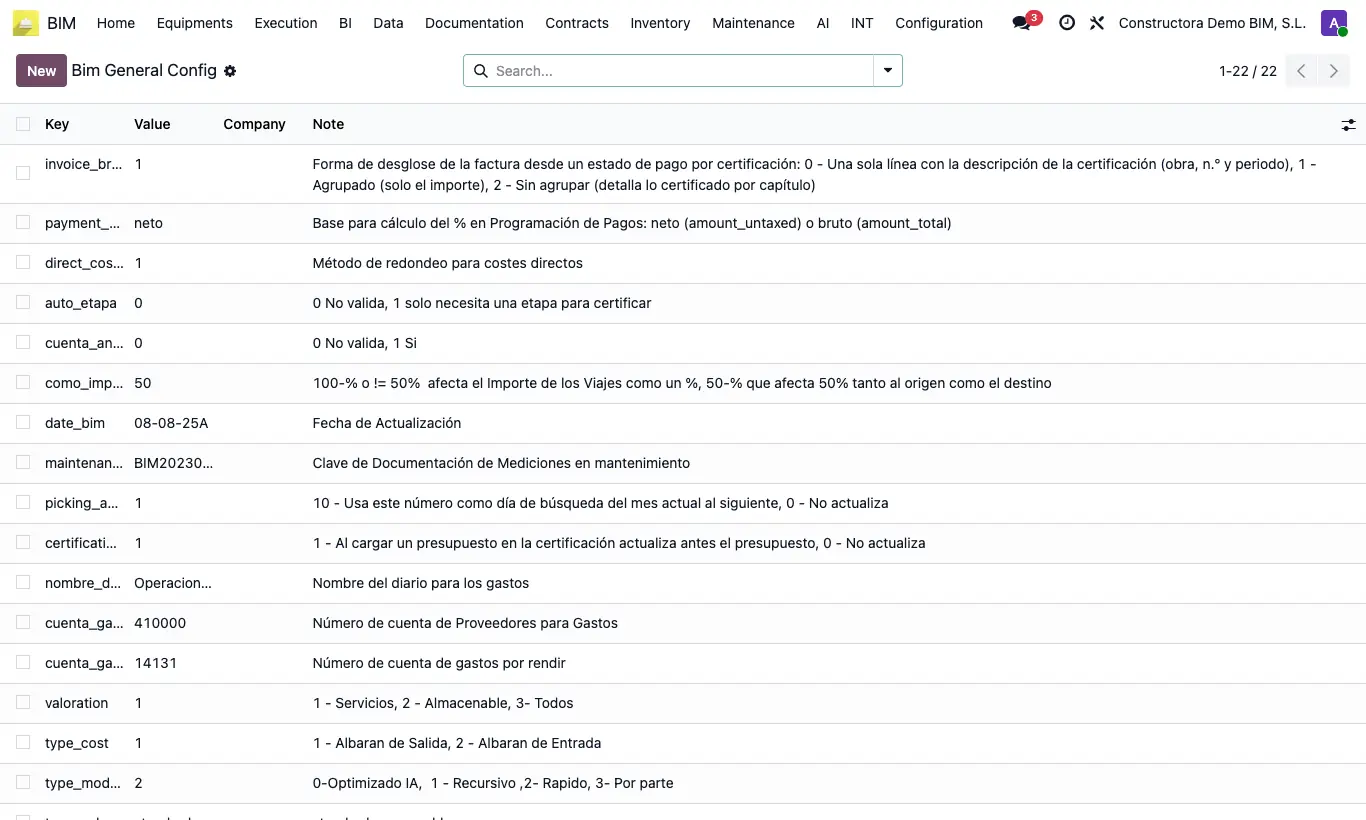
Steps
- Go to Config › General Config › General Config. You will see a list with Key, Value, company and Note.
- Read the Note of each key: it explains which values it accepts.
- Open the key, change the Value following exactly that format and save.
- If you work with several companies, fill in the company on the keys that need it.
Do not delete keys or change their text: the program looks them up by their exact name; if it does not find one it uses its default value or gives an error.
sequence and the expense keys look first for the one of your company and, if there is none, use the default one, which has no company. With several companies, create one key per company if each needs its own value.
Changes affect the whole company immediately. Note the previous value before touching anything.
invoice_breakdown: how a payment status invoice is broken down (0 one line, 1 grouped, 2 by chapter).
retention: invoice_line puts the retention as an invoice line; invoice saves it as an invoice field.
auto_etapa (1 creates the stage when certifying with dates), certification_update (1 updates the budget before loading it into the certification) and blok_aprove_part (1 does not allow approving reports with hour differences).
apu_unique (1 requires unique APU codes in the budget), type_model_calc (UPD calculation method; 2 = fast), payment_pct_base (net or gross in the payment schedule) and valoration (1 services, 2 storable, 3 everything in the purchase valuation).
sequence is the counter for numbering by year; cuenta_gastos_proveedores, cuenta_gastos_rendir and nombre_diario_gastos are the accounts and journal for Bim Expense.
cuenta_analitica_unica: with 1 it does not let you assign to a project an analytic account already used by another project; with 0 (default) it is not checked.