Where BIM › Home › Projects › (project)
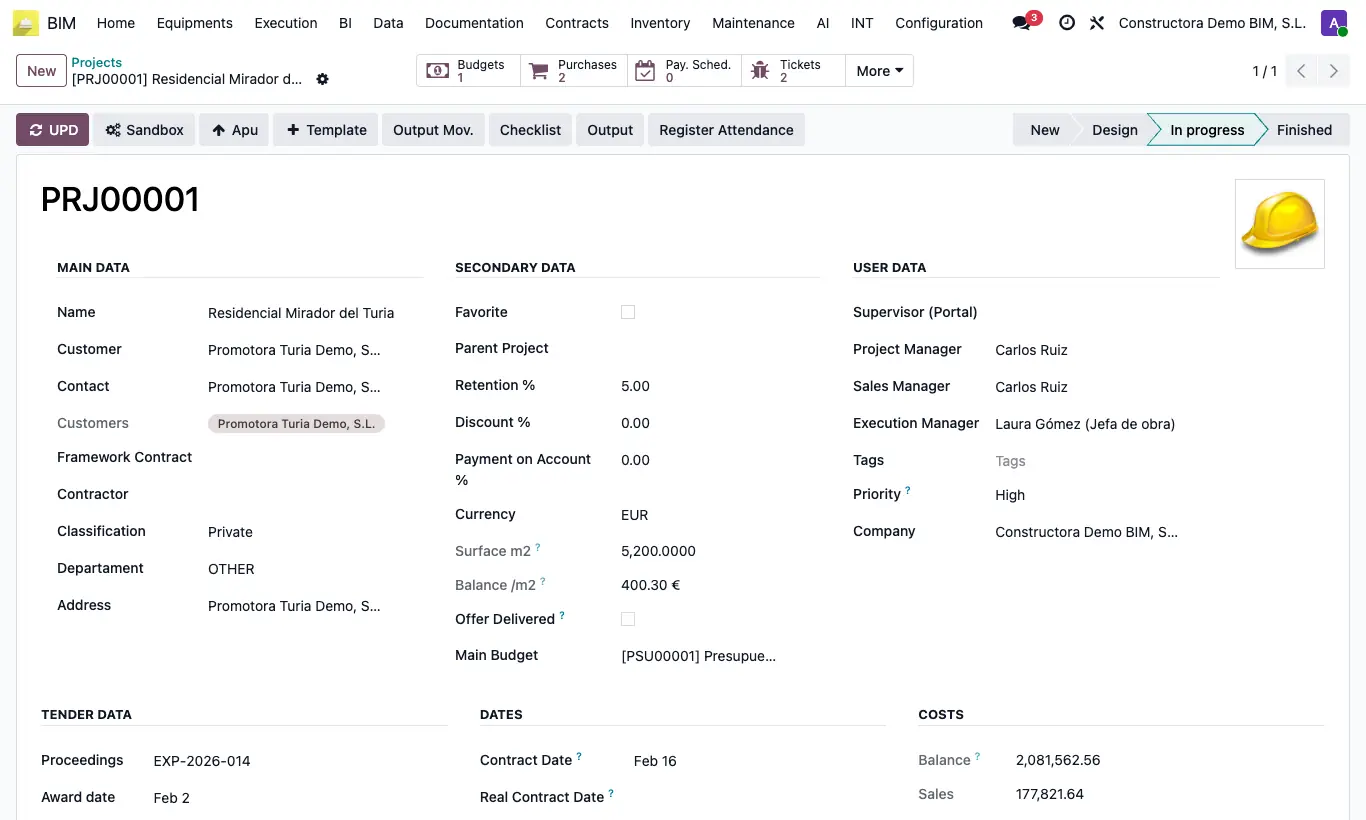
Steps
- Open the project.
- Fill in Surface m²: it lets you get the amount per m² (incidence).
- Fill in Retention %: it will be applied in the payment statuses.
- Assign the Project Manager and the Execution manager.
- Click UPD to recalculate the project totals.
Site note
The smart buttons (budgets, purchases, tickets, documents) give access to everything in the project. More shows the rest.
The cost block shows amount, sales, project costs, profit and margin.