Where BIM › Home › Projects › Budgets
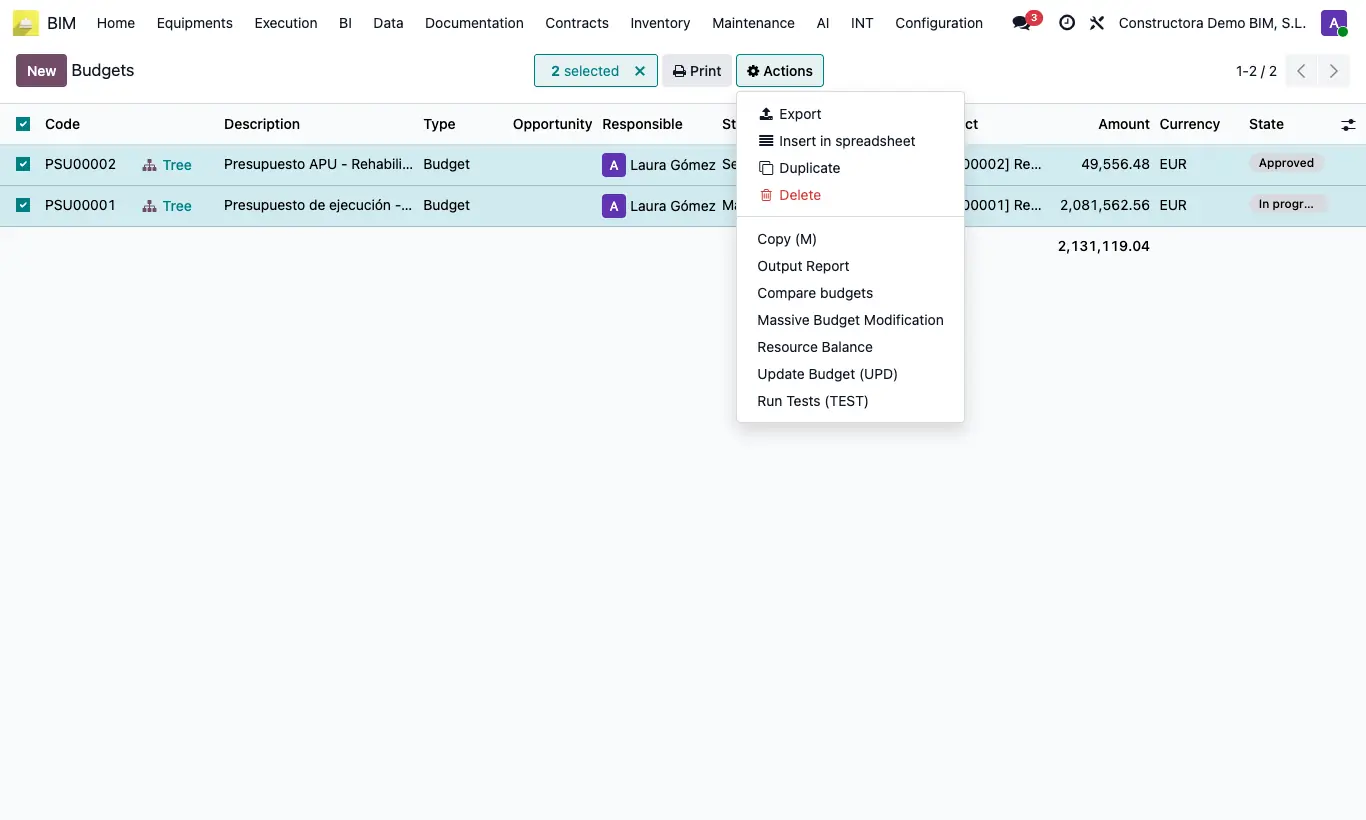
Steps
- Go to Home › Projects › Budgets (list view).
- Check exactly two budgets.
- Open Actions and choose Budget Compare.
- Check Origin Budget and Budget to Compare (the arrows button swaps them).
- In Compare choose Chapters, Budget Items or All; in Type, Budget or Certification.
- In Data to compare check Price, Text, Quantity and/or Measurement line.
- Click Print Comparison and open the Excel file.
Warning
Concepts are matched by code. If the two budgets share no codes, "There are no common concepts to compare." appears.
If you check Measurement line, Quantity is checked automatically and cannot be removed.
Site note
Useful to compare your offer with the customer's, or a duplicated version with the original.