BIM 2.0Odoo 19

Process manual

Search for what you want to do and follow the steps. Each process shows where it is in the menu, what you need first and which mistakes to avoid.

The life of a project

Artificial Intelligence

How do I use ChatBim?Long conversations linked to a budget, with saved instructions.

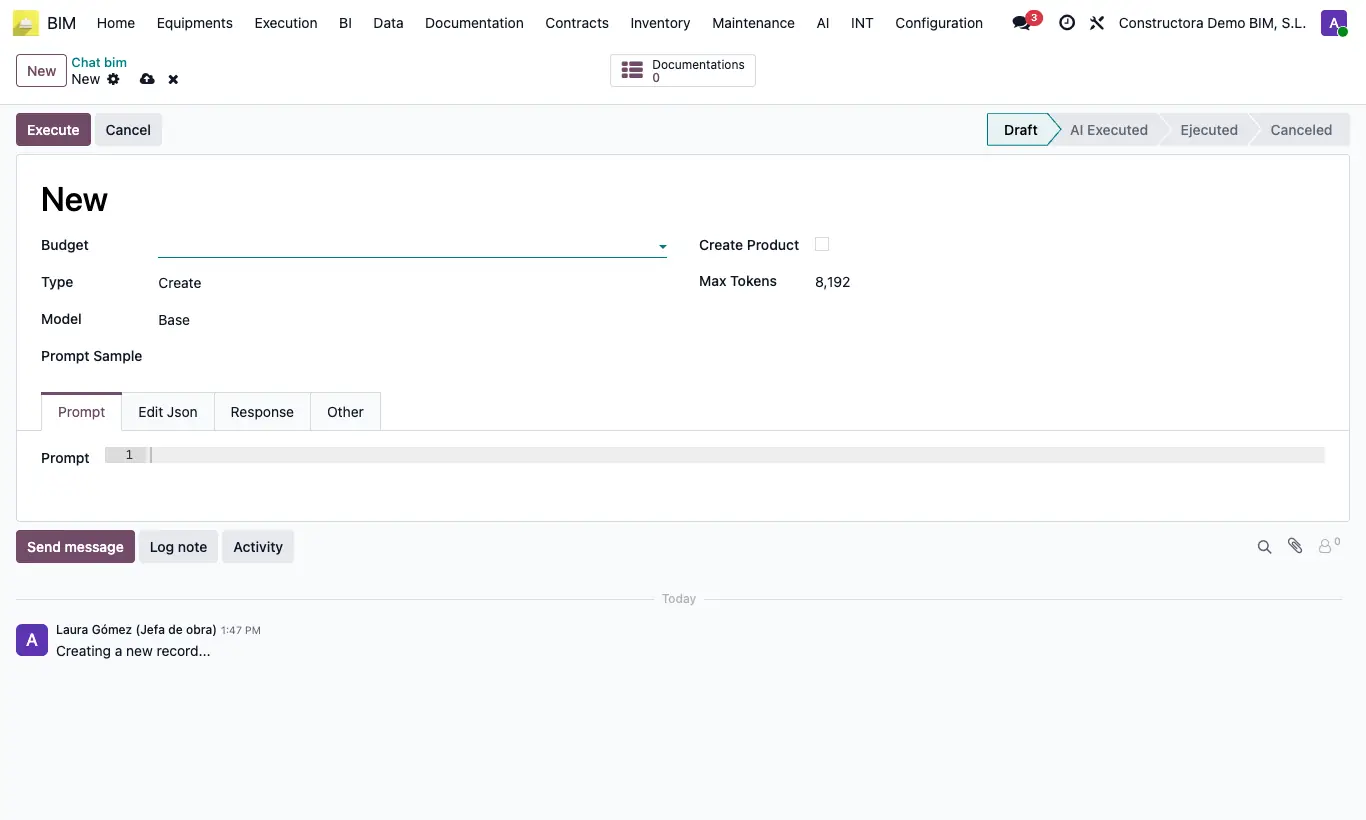
Where BIM › AI › ChatBim
How do I use ChatBim?

Steps

  1. Go to AI › ChatBim and click New.
  2. Choose the budget and type: Create, Edit, Read, Report or Programming.
  3. In Model select Other and the configured model.
  4. Write the instruction or use a Prompt Sample.
  5. Click Execute and review. In Create, Edit and Programming, apply the response to the budget.
Documented version: BIM 2.0 (base_bim_2 19.0.19.04.2026) · Odoo 19