Where BIM › Home › Certifications › Certifications › Measurements tab
Before you start
Bim Certification profile. Measurement captures in Finished, if you use them.
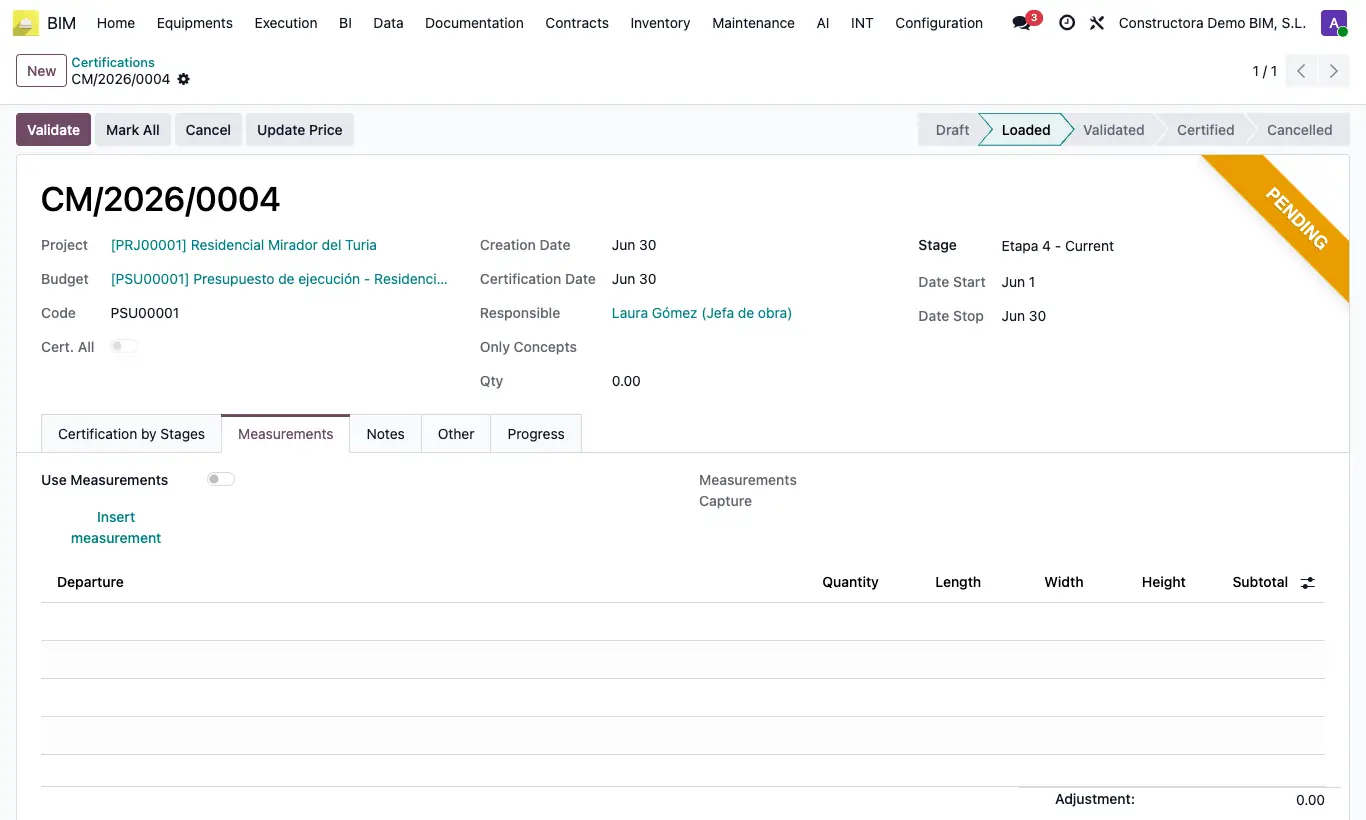
Steps
- Create the certification and, before loading it, open the Measurements tab.
- In Measurements Capture choose one or more finished captures of the project that have not been certified yet. The items from those captures are added to Only Concepts.
- Click Load: the CurQty of each item takes the sum of the quantities from the captures.
- If you prefer to measure inside the certification, turn on Use Measurements before Load: measurement lines (Quantity, Length, Width, Height) are created for the items that have measurements in the budget.
- Fill in the lines and click Insert measurement: CurQty becomes the sum of their Subtotal.
- Continue as usual: Validate and Certify.
Warning
If you send the certification back to draft, the captures are freed to be used in another certification.