BIM 2.0Odoo 19

Process manual

Search for what you want to do and follow the steps. Each process shows where it is in the menu, what you need first and which mistakes to avoid.

The life of a project

Certification and billing

How do I publish a progress catalog with photos for the customer?Photos and a description of progress that the customer sees and comments on in their portal.

Where BIM › Home › Progress Catalog
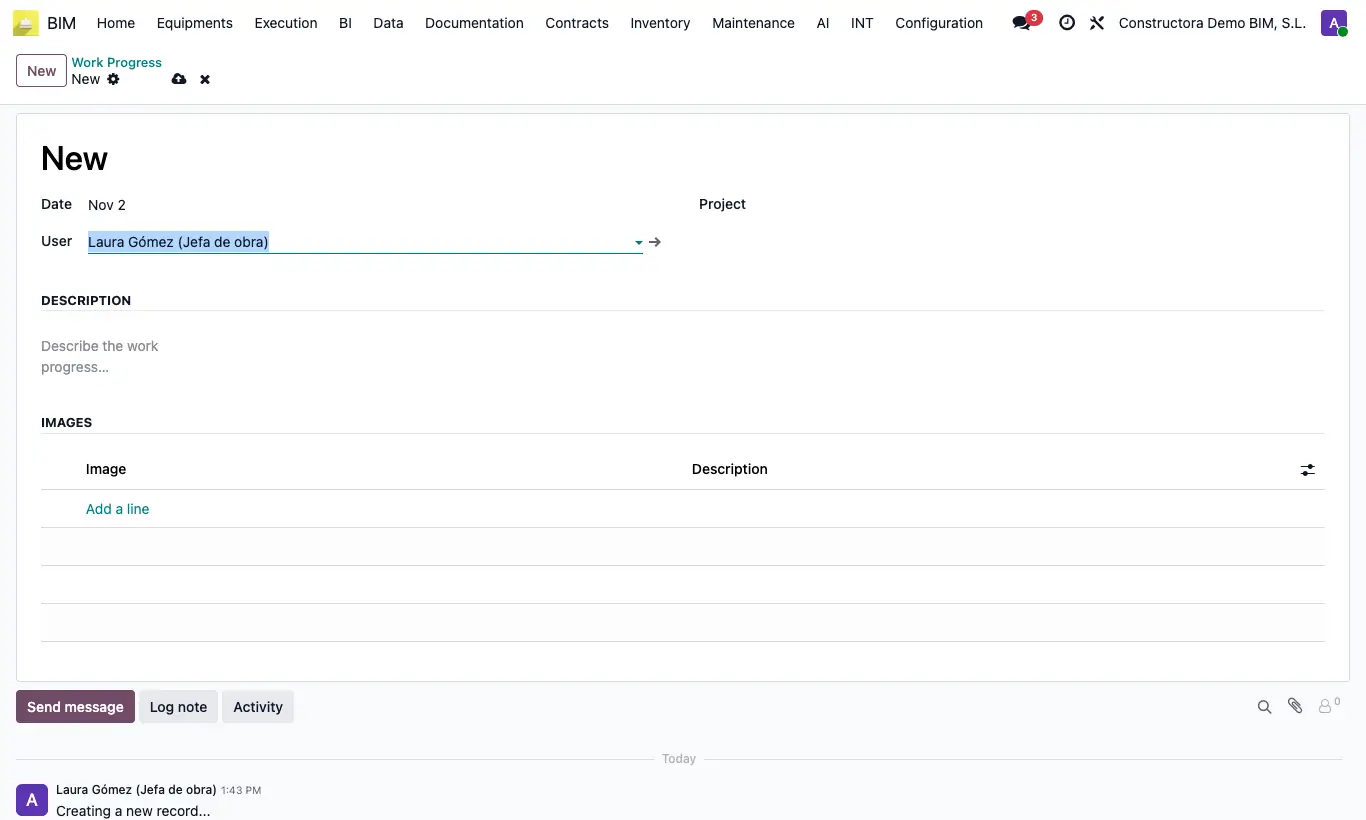
How do I publish a progress catalog with photos for the customer?

Steps

  1. Go to Home › Progress Catalog (or the project's Progress Catalog button) and click New.
  2. Fill in Date, User and Project.
  3. Describe the progress in Description.
  4. In Images add one line per photo with its Description. Drag the lines to sort them.
  5. Save. The customer and the project contacts with portal access see it there and can leave comments, which reach the record's history.
Site note

The same list is at Documentation › Site progress.

Documented version: BIM 2.0 (base_bim_2 19.0.19.04.2026) · Odoo 19