Where Budget › Concepts button
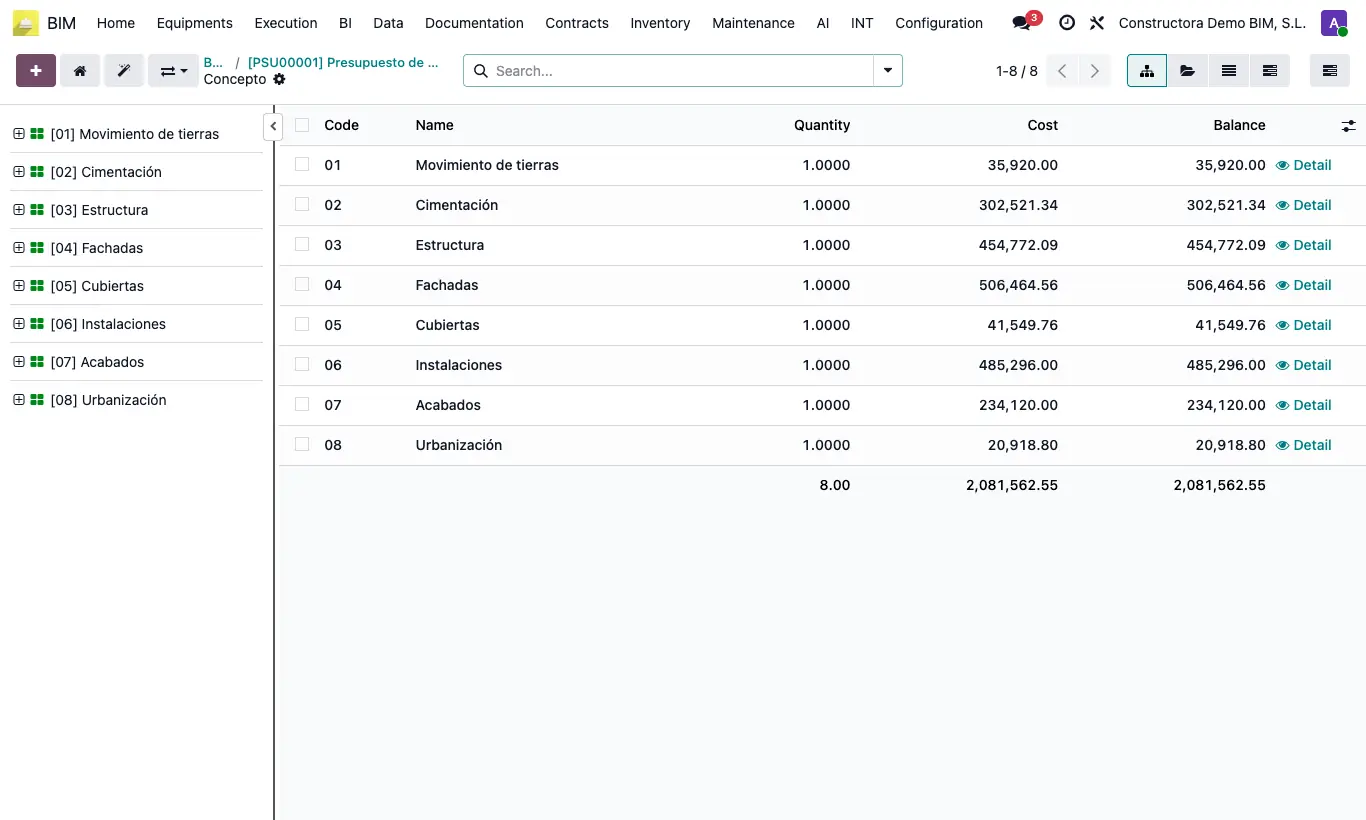
Steps
- Open the budget and click Concepts.
- On the left is the tree; on the right, the content of the selected element.
- Select the root and press N to add a chapter.
- Select the chapter and press N: the program proposes an item.
- Select the item and add its resources: material, labor, equipment or subcontract. They are edited inline.
- With a right click you can open, add, certify, copy and move.
- When finished, press U or UPD to update the budget.
Warning
Resources cannot be placed directly in a chapter. If you do, when you click UPD a red alert appears asking for an item in between.
Site note
Select several elements with Ctrl or Shift + click and apply the action to all of them.
The selector at the top switches mode: Budget, Certification, Execution or Scheduling.