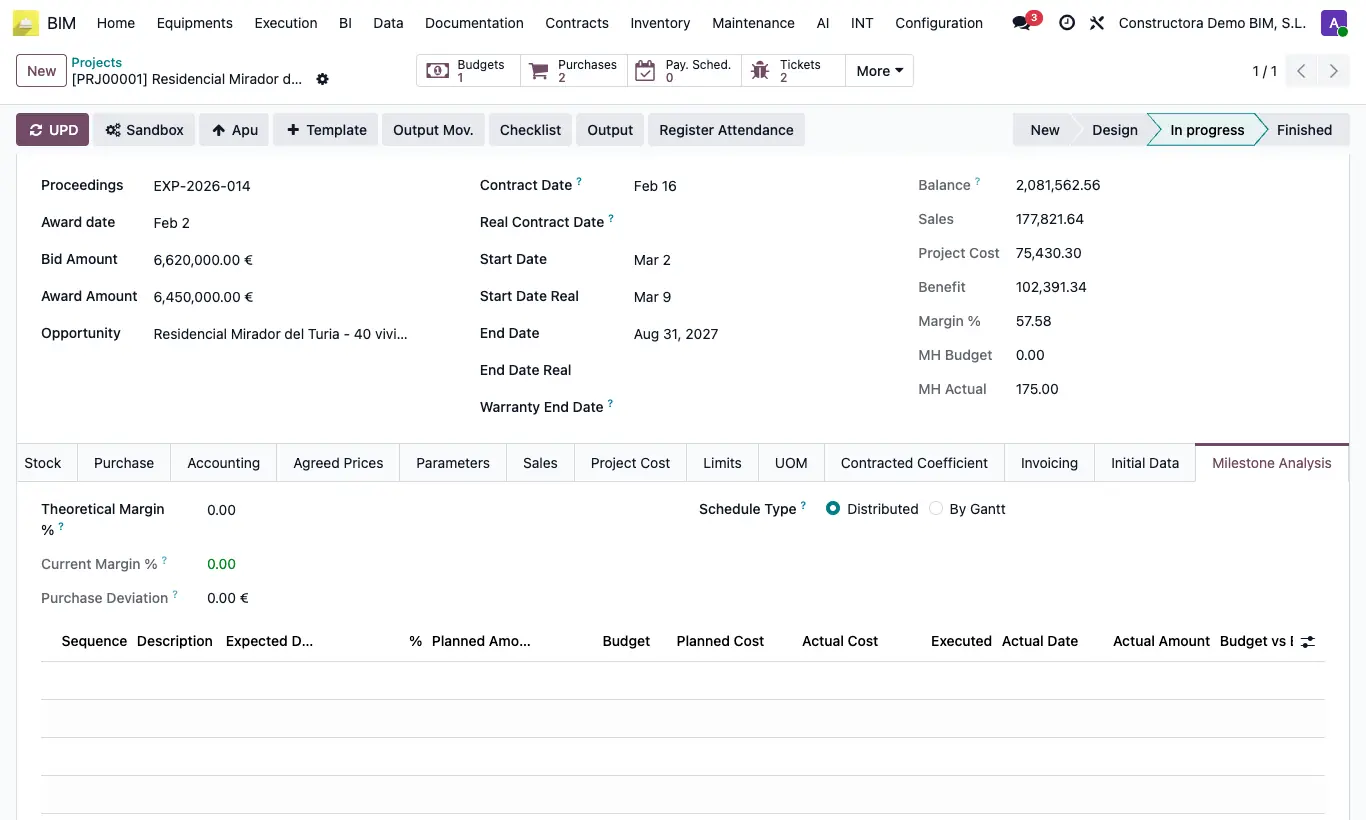
Where BIM › Home › Projects › (project) › Milestone Analysis tab
Steps
- In the project, Milestone Analysis tab, fill in Theoretical Margin %: it is used to calculate the Planned Cost of each milestone.
- Choose the Schedule Type: Distributed spreads the budget over the time between milestones; By Gantt spreads it according to the schedule of the items.
- Open Billing Milestones and look at the columns: Budget, Planned Cost, Actual Cost (posted vendor bills of the project's analytic account between the previous milestone and this one) and Executed (measurement captures finished in that period).
- Budget vs Expenses Diff = Budget − Actual Cost; Treasury = Actual Amount − Actual Cost. Negatives are shown in red.
- In the project also compare Current Margin % with the theoretical one and the Purchase Deviation.
Warning
If the project has no analytic account, the Actual Cost comes out as zero.