Where BIM › Inventory › Delivery Note Analysis
Before you start
Inventory profile.
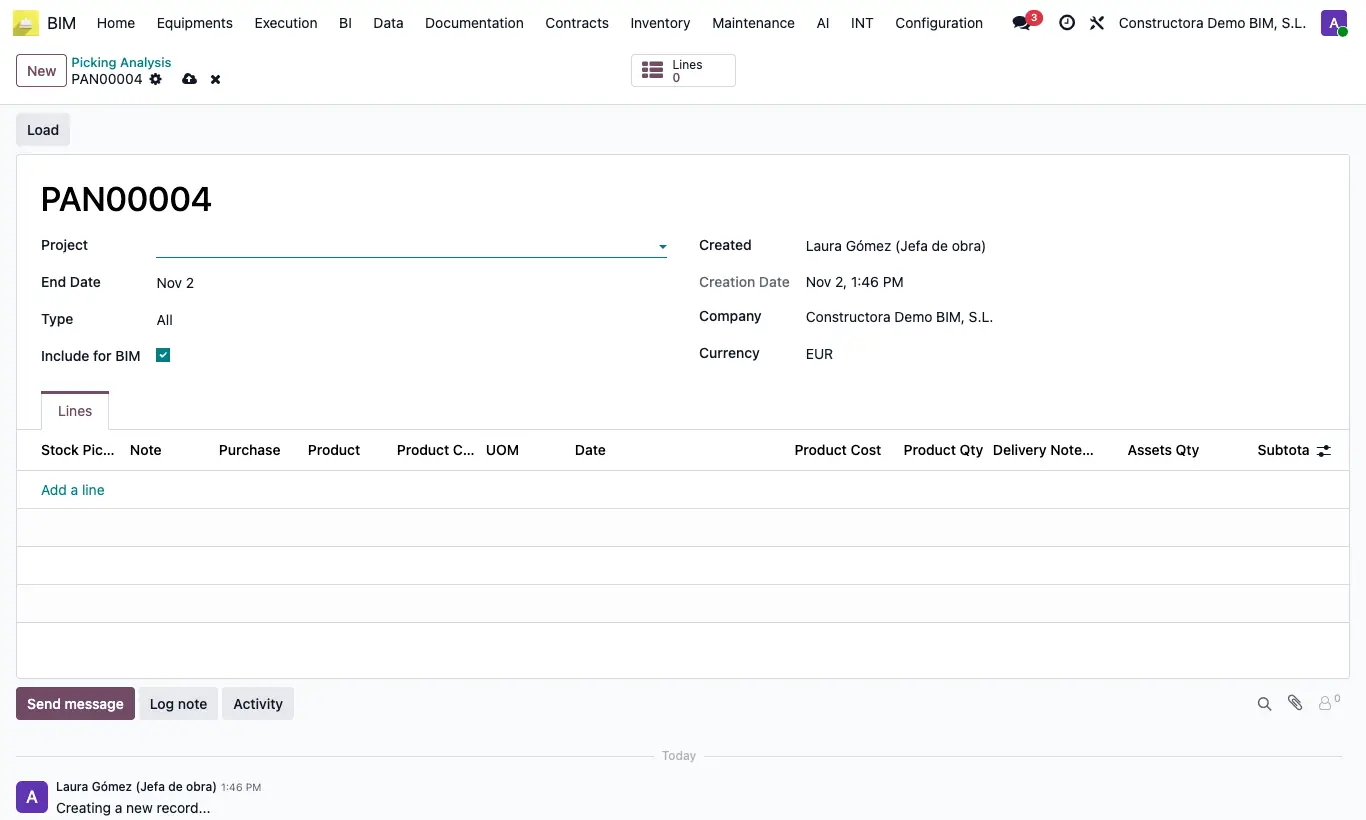
Steps
- Click New and choose the Project, the End Date and the Type: In, Out, Internal or All.
- Click Load and confirm: the previous lines are deleted and refilled.
- Review in Lines the delivery note, the order, the product, the quantity and the Delivery Note Subtotal.
- Use Note and OENC (work in progress not certified) to annotate each line.
Warning
The period does not start on any date you choose: it loads from the year 2000 up to day N of the month after the End Date (N is the “picking_analysis_day” key in General Config; it defaults to 1). You will see it noted in the history on loading.
If nothing is found you get “No data found”.
Site note
Only validated delivery notes of the project with Include for BIM are included.