Where BIM › Equipment › Rents › Equipment
Before you start
Each piece of equipment with a Product in its Bim tab. A purchase or sales journal on the company.
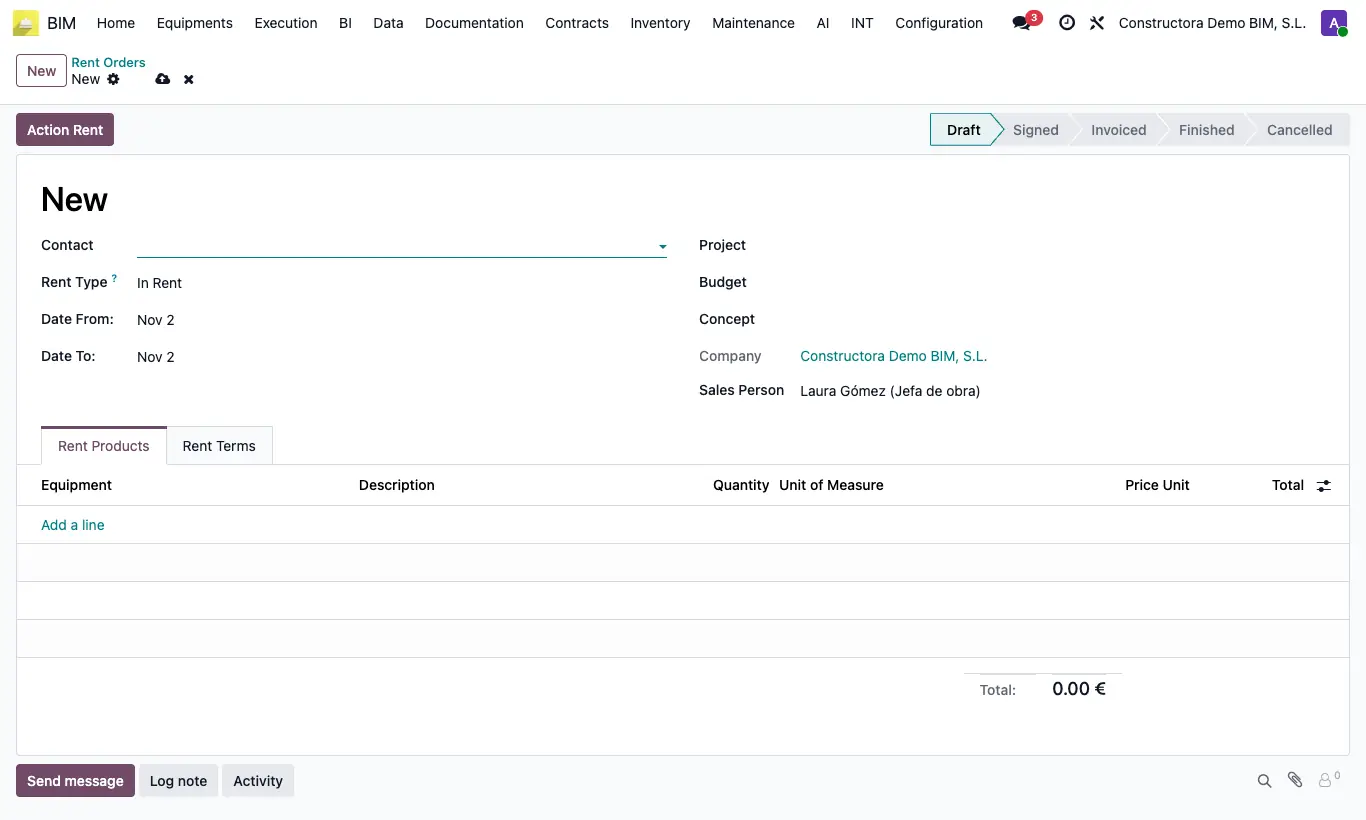
Steps
- Go to Equipment › Rents › Equipment and click New.
- Choose Contact, Rent Type (In Rent if they rent it to us, Out Rent if we rent it out), Date From:, Date To: and Project.
- In the Rent Products tab add each machine: the description, quantity 1 and the Price Unit from its rate are filled in. Adjust Quantity and Unit of Measure.
- Click Action Rent: the contract moves to Signed and the equipment to Rented.
- Click Action Invoice: a vendor bill (Entry) or a customer invoice (Exit) is created.
- When the machine is returned, click Action Finished: the equipment goes back to Available.
Warning
If you change Date From:, Date To: or Contact after adding lines, the quantity and price of all of them are reset.
You cannot invoice equipment without a product: “There is no product for the equipment …”.
Nothing prevents renting the same equipment twice: check its Rent State first.
Only contracts in Draft can be deleted.
Site note
The invoice for an In Rent rental carries the project's analytic account and is flagged for BIM: when posted, it adds to the project cost.