Where BIM › Config › Configuration
Before you start
BIM Manager profile and Administrator role.
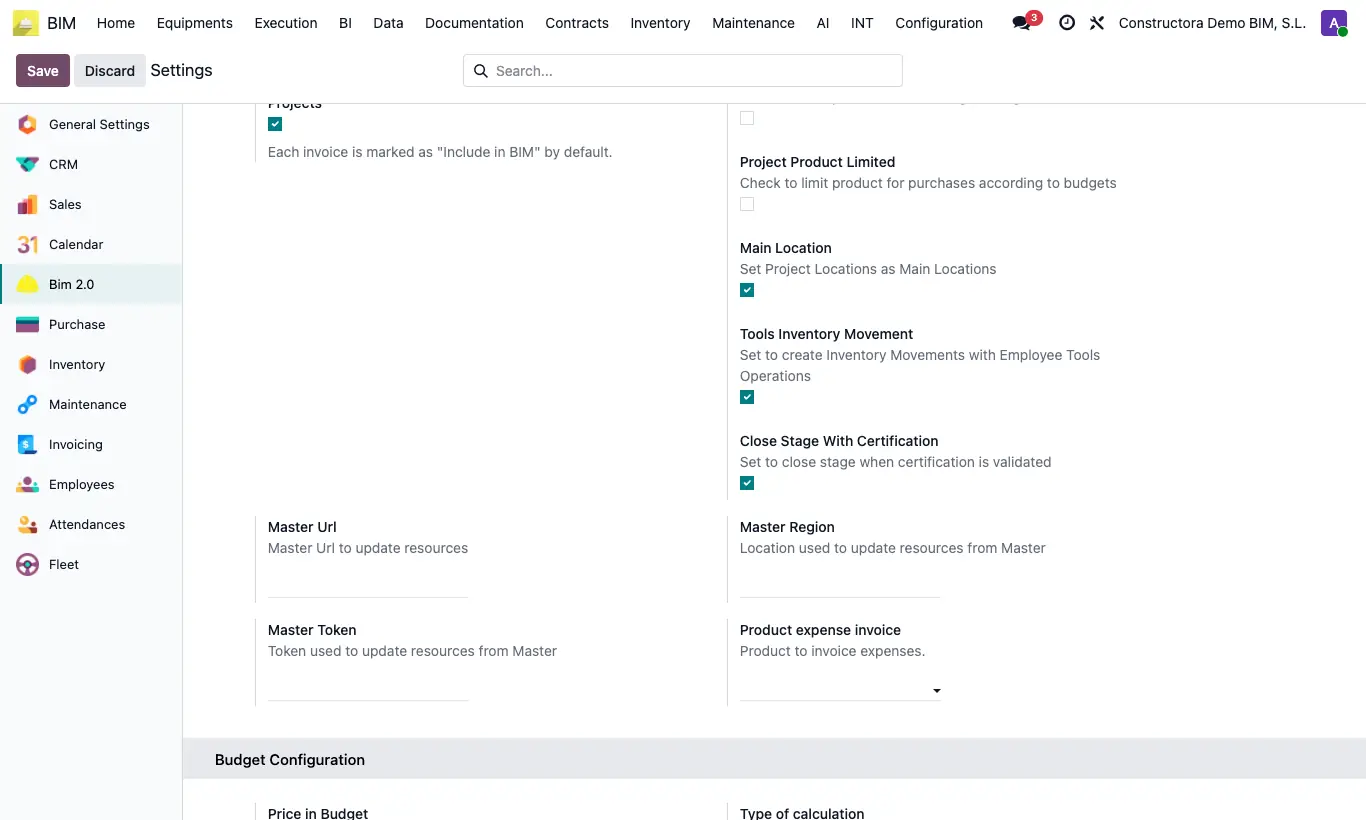
Steps
- Open the Bim 2.0 settings and find the INVENTORY block.
- Mobile Warehouse Location: default location for Mobile Warehouse entries. Use Project Warehouse: when you choose the project on a purchase order, the receipt is made in that project's warehouse.
- Warehouse Prefix: text placed before the project name when creating its warehouse with the Warehouse button in the project's Stock tab (by default, “ALM”).
- Include Picking Cost: material outbounds from the project are proposed with Include for BIM ticked, so they count towards the cost. Picking Move All: if ticked, you can move all the products of a selection at once.
- Certificate Chapters: shows the chapter certification button on budgets (the user also needs the Certificate Chapters profile).
- Limit Purchase and Project Product Limited: default value of the boxes of the same name on new projects, which control orders against the limits in the Limits tab.
- Main Location: new internal locations are created as main; when loading resources in a material request their stock is checked.
- Close Stage With Certification: when a certification is validated, its current stage is approved (closed) automatically.
Warning
Sequence by Year changes the numbering of projects and budgets: first read “How do I change the numbering…?”.
Site note
Validate Stock Movements: ticked (by default), movements made from the project and from the mobile warehouse are confirmed and validated automatically; unticked, they stay pending in Inventory.
Tools Inventory Movement: ticked (by default), tool deliveries and withdrawals to employees create their delivery note; unticked, they are only recorded in BIM.