Where BIM › Config › Config
Before you start
BIM Manager profile and Admin Role.
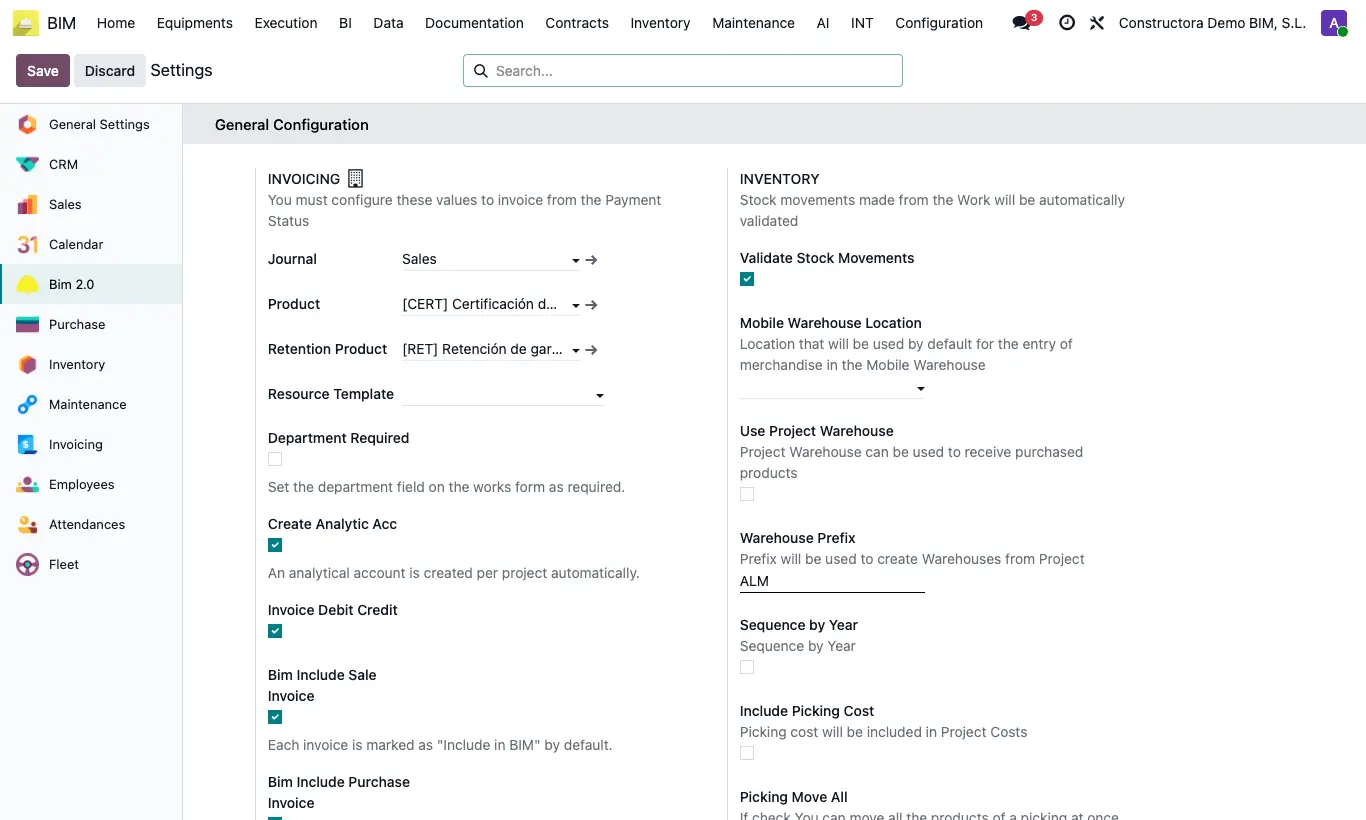
Steps
- Go to BIM › Config › Config: the Bim 2.0 section opens (it is also under Settings › Bim 2.0).
- If you work with several companies, choose the company in the selector first: almost all values belong to each company.
- General Configuration: payment status invoicing, analytics, invoices that enter BIM and site warehouse.
- Budget Configuration: default values of each new budget (prices, calculation type, certification limit, editable codes).
- Purchase Configuration, Retention Configuration and Human Resources Configuration: buying more than planned, retention %, working day and hourly cost.
- Click Save at the top.
Warning
Leave Create Analytic Acc on: without it the project does not collect its expenses.
Most values are copied when each project or budget is created: changing them does not modify those already created.
Site note
Each block has its own process in this manual with the detail of every option.
Advanced options that are not here are changed in Config › General Config.