Where Budget › Scheduling tab
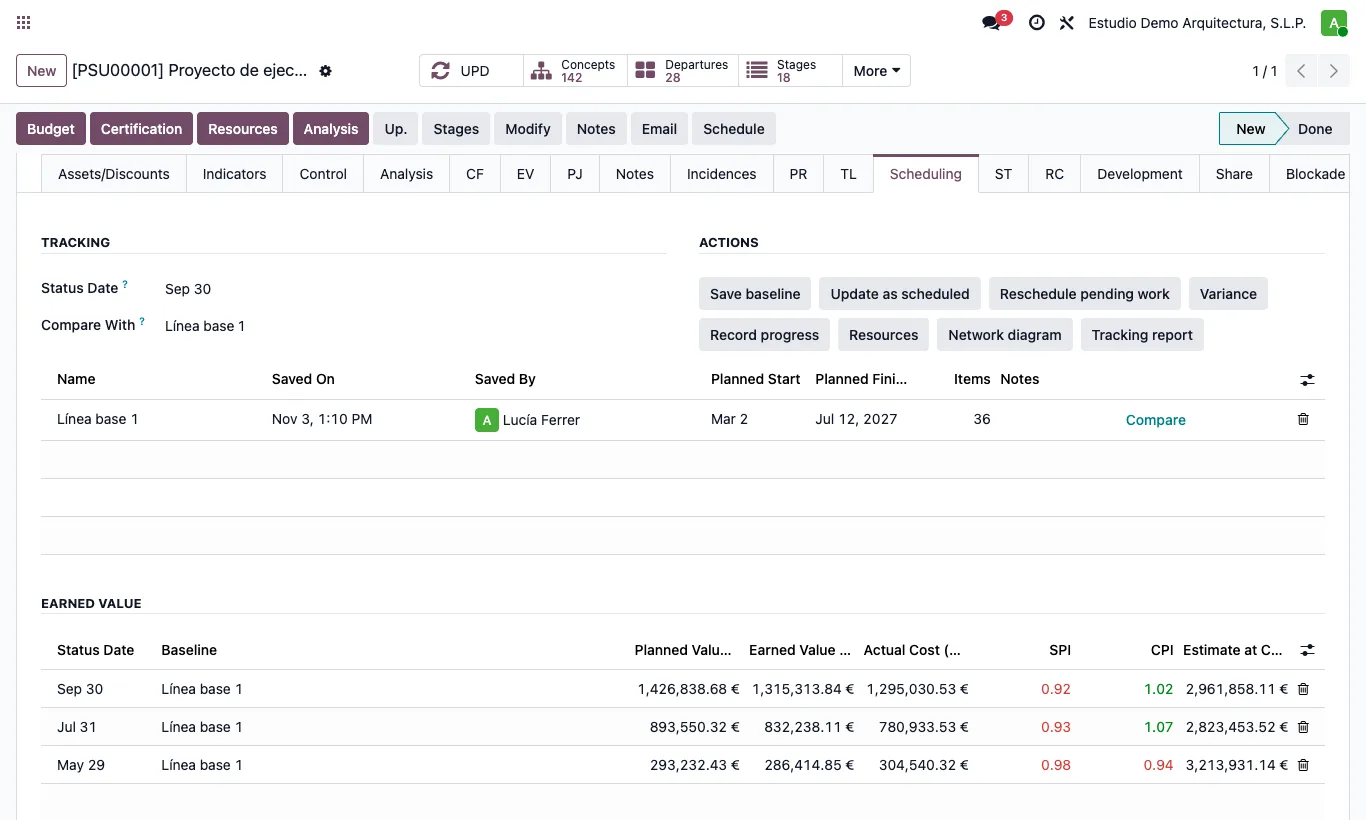
Steps
- In the budget's Scheduling tab set the Status Date: the day up to which you report progress.
- Click Update as scheduled: what should have started before that date is marked as started and what should have finished, as finished. It never lowers progress already entered.
- In the Gantt or in Variance, correct the items that are behind.
- Click Reschedule pending work: what has not started does not start before the status date, and started items are extended by what they have left.
Site note
Update as scheduled also saves the earned value snapshot at that date.
The Gantt draws the status date as a dashed blue line.