A BOQ (Bill of Quantities) is an essential document in construction that details the quantities and types of materials, components and work required to complete a project. Its main purpose is to provide a clear, structured basis for cost estimating, planning and tendering. If you want to go deeper into the concept, read what is a BOQ.
In this guide we look at how to create a BOQ in Odoo with BIM 2.0.
Step 1: Open the BIM module in Odoo
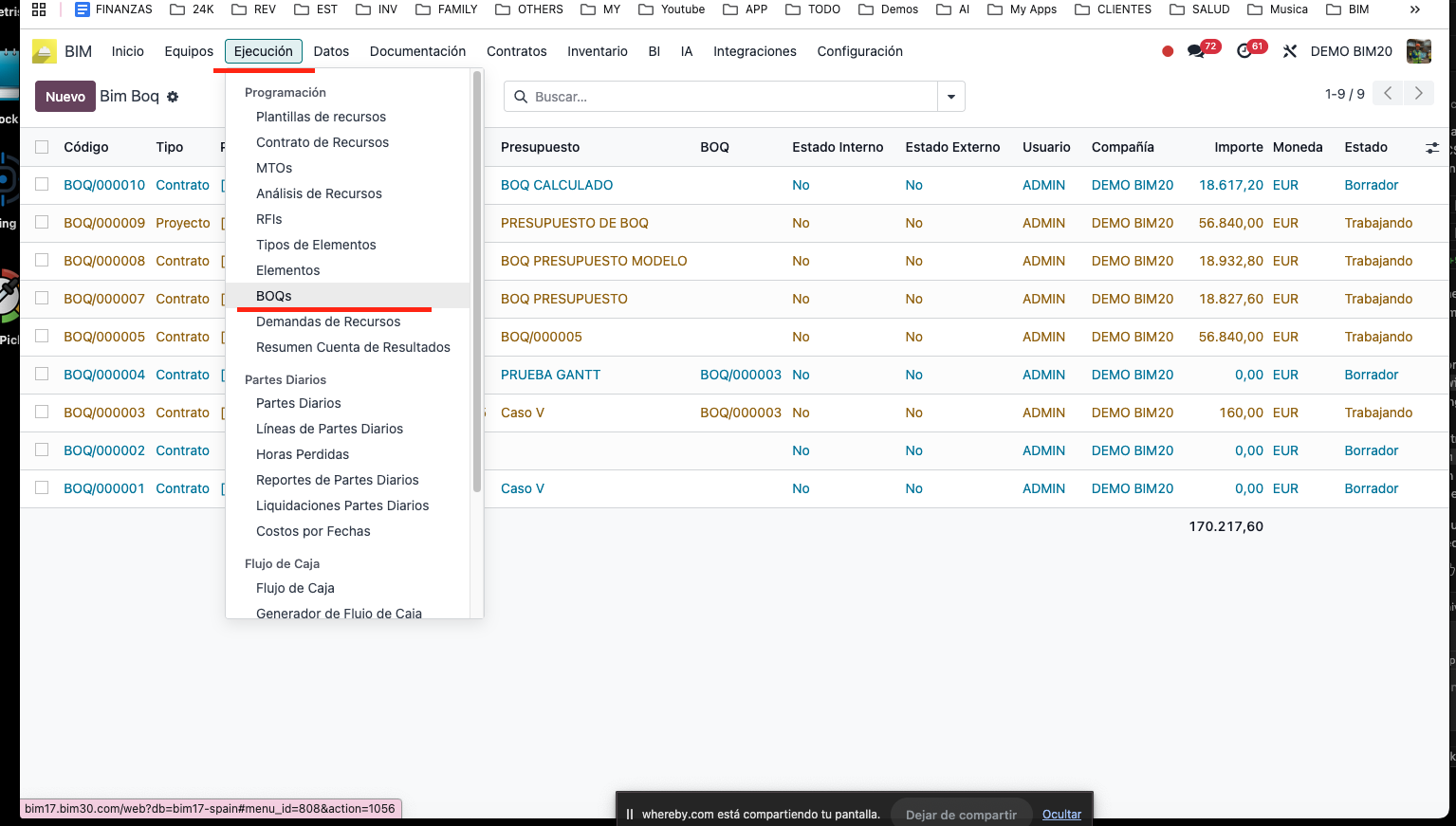
To get started, go to Odoo's BIM module. Then open the execution menu and select the BOQ option.
Step 2: Select the project and the budget
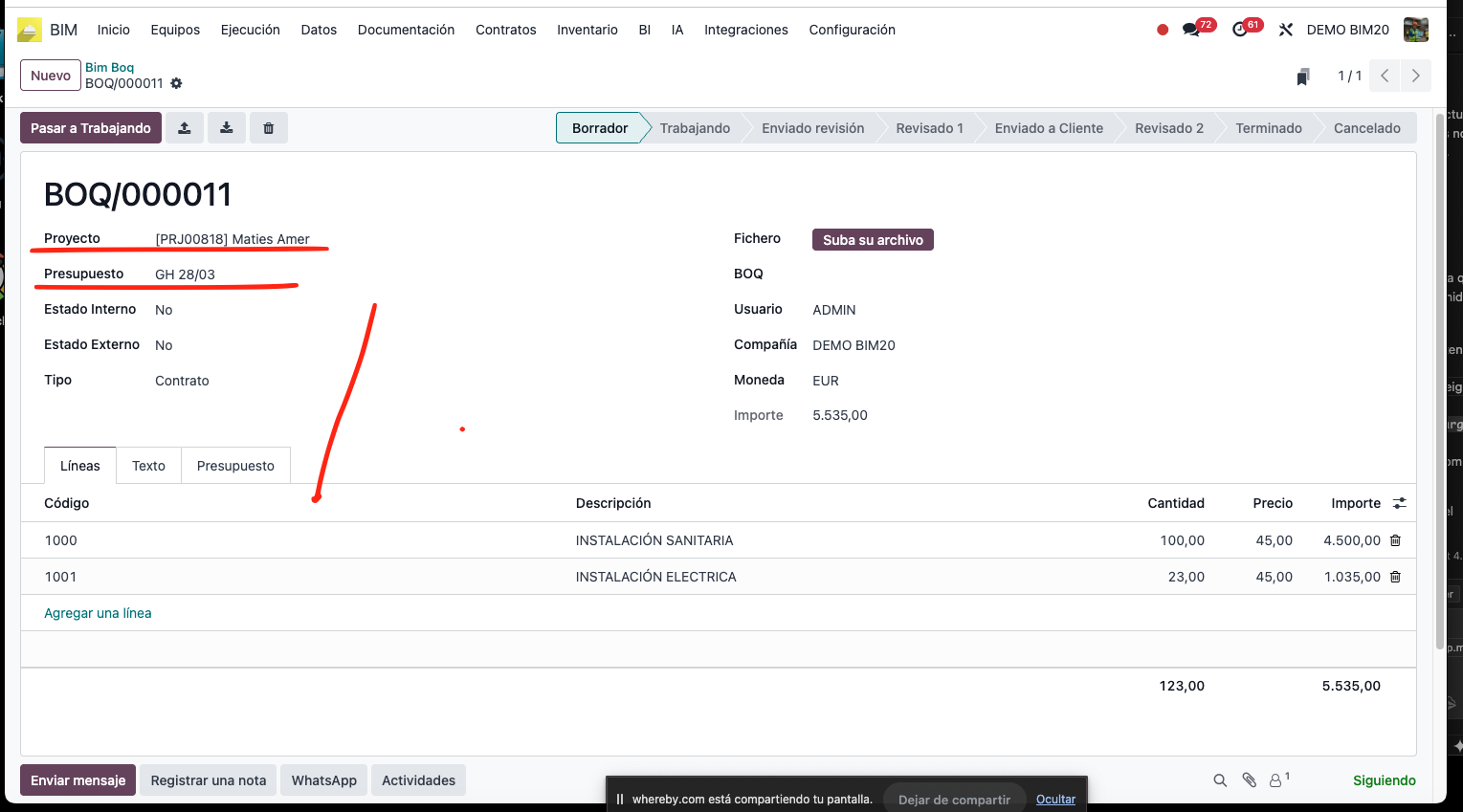
Once in the BOQ menu, select the corresponding project and budget. Then add the necessary detail lines.
Step 3: Export the BOQ to Excel
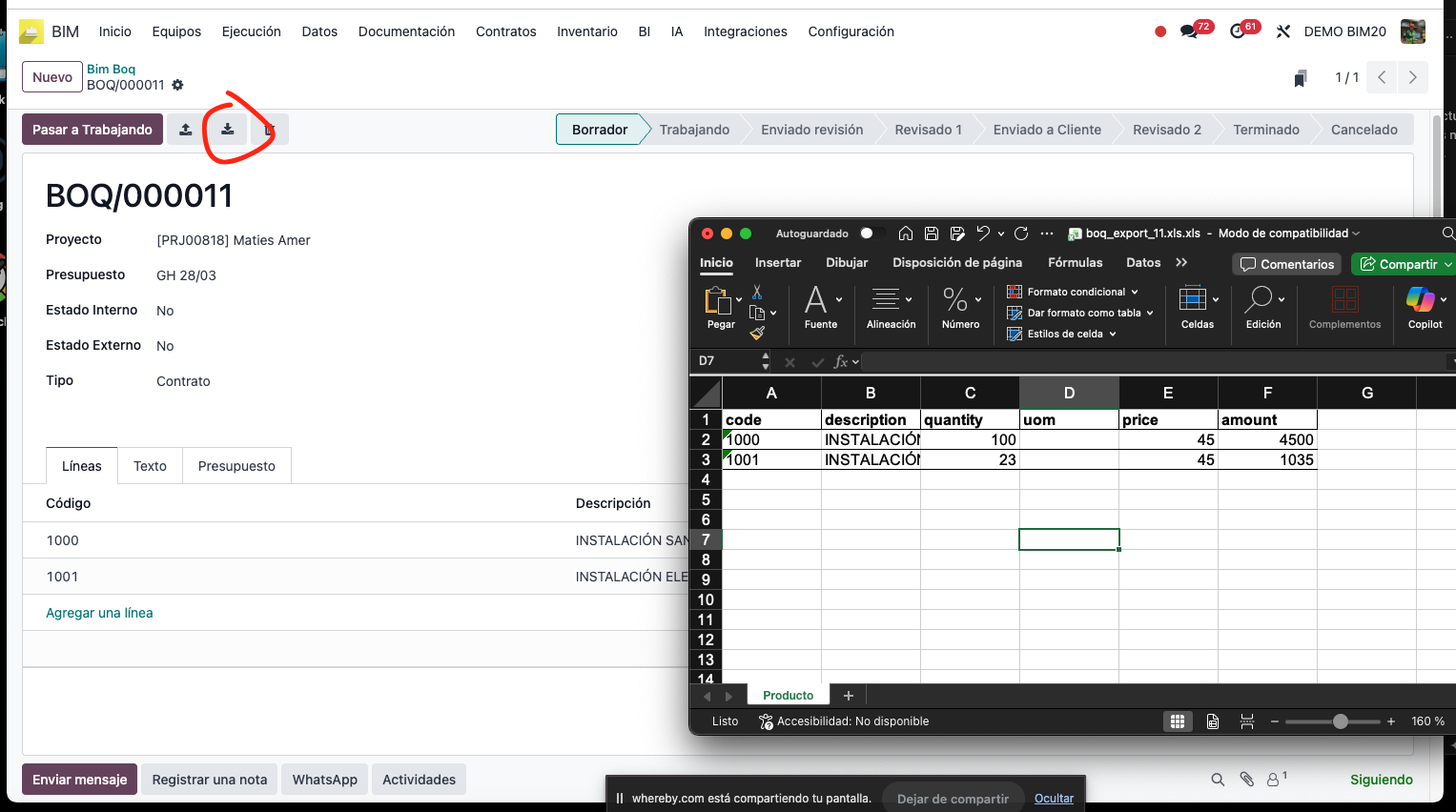
To export the BOQ to Excel, use the top bar: click the button with the down arrow to download the document.
Step 4: Automate the construction budget
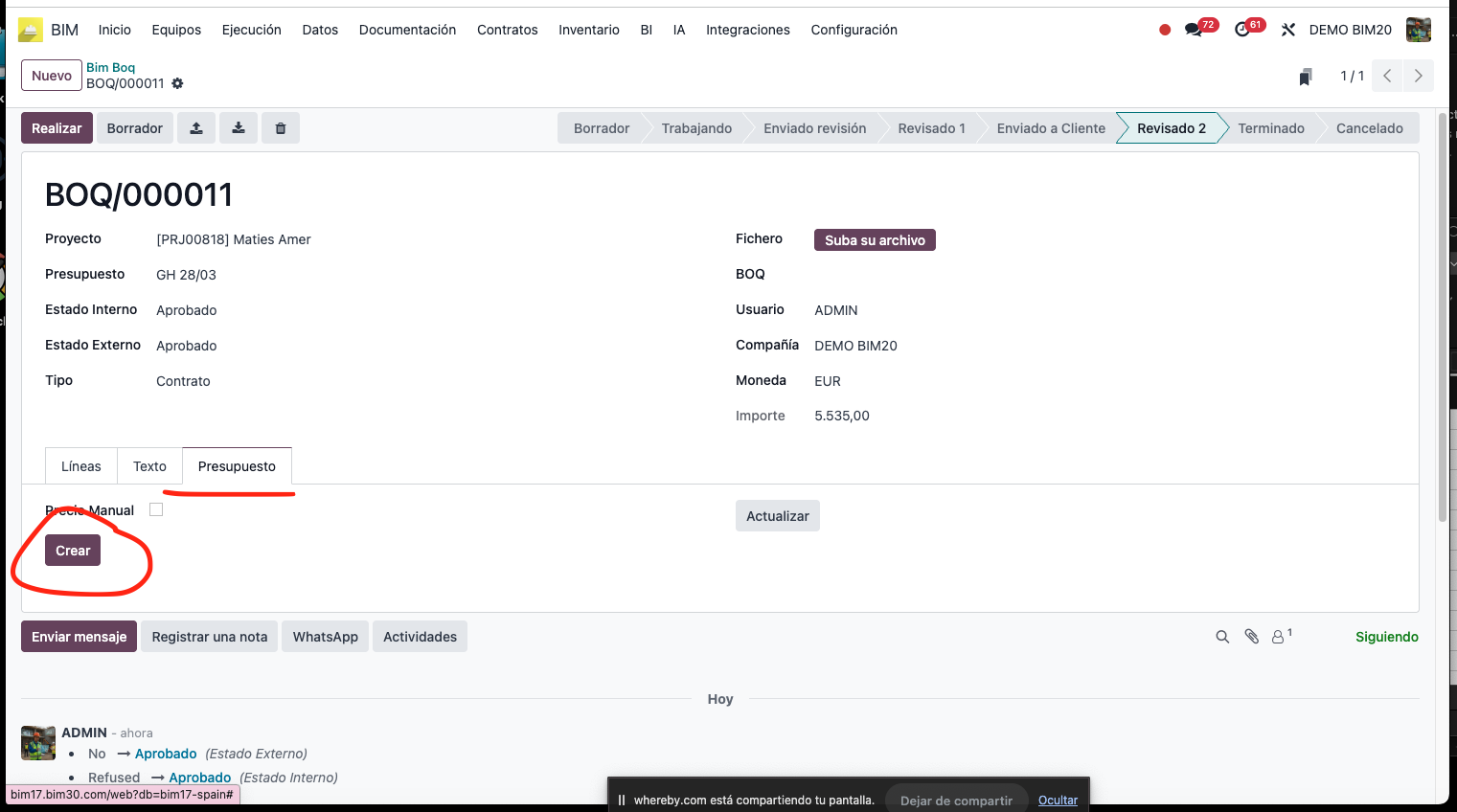
With the client's BOQ you can automate the creation of the construction budget in BIM 2.0, which improves the efficiency and accuracy of the project.
Want to implement BIM 2.0 in your company?
If you need to implement Odoo BIM 2.0 in your construction company, contact us and we will help you.